Eng-102
Step-by-Step Setup Example of IP Router
SMC model 7004VBR
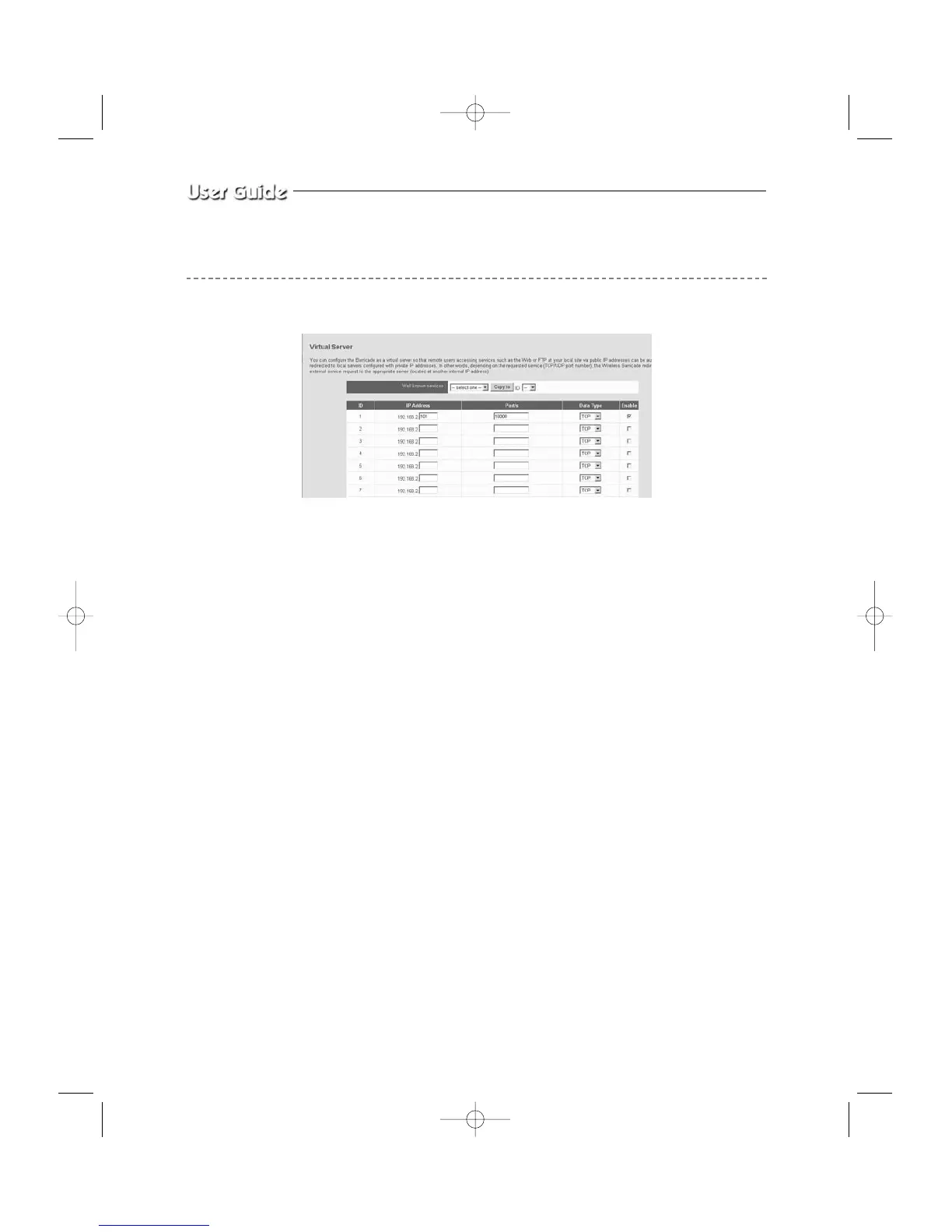
1. Select “NAT” and “Virtual Server”
You need to create Virtual Servers (Port Forwarding) for HTTP
2. Virtual Server (Port Forwarding) for HTTP : use the first empty ID row.
! IP Address : SETUP MENU -> 7. NETWORK SETUP -> Check IP from network
status to apply it identically to Private IP after DHCP setup.
(Eng-32 Setup)
*
That is not in use by any other device connected to the Router including the Local PC.
@ Private Port and Public Port : Set both to “From 10000 to 65535”
# Data Type : Select “TCP”
$ Enable : Leave this “checked”
3. Click “APPLY”
4. Close browser window.



 To Next Page