SY16C Excavator OMM Machine Controls
SANY Operation and Maintenance Manual — 0420 3-27
TABLE OF
CONTENTS
INTRODUCTIONSAFETY
MACHINE
CONTROLS
MACHINE
OPERATION
MAINTENANCESPECIFICATIONS
OPTIONAL
EQUIPMENT
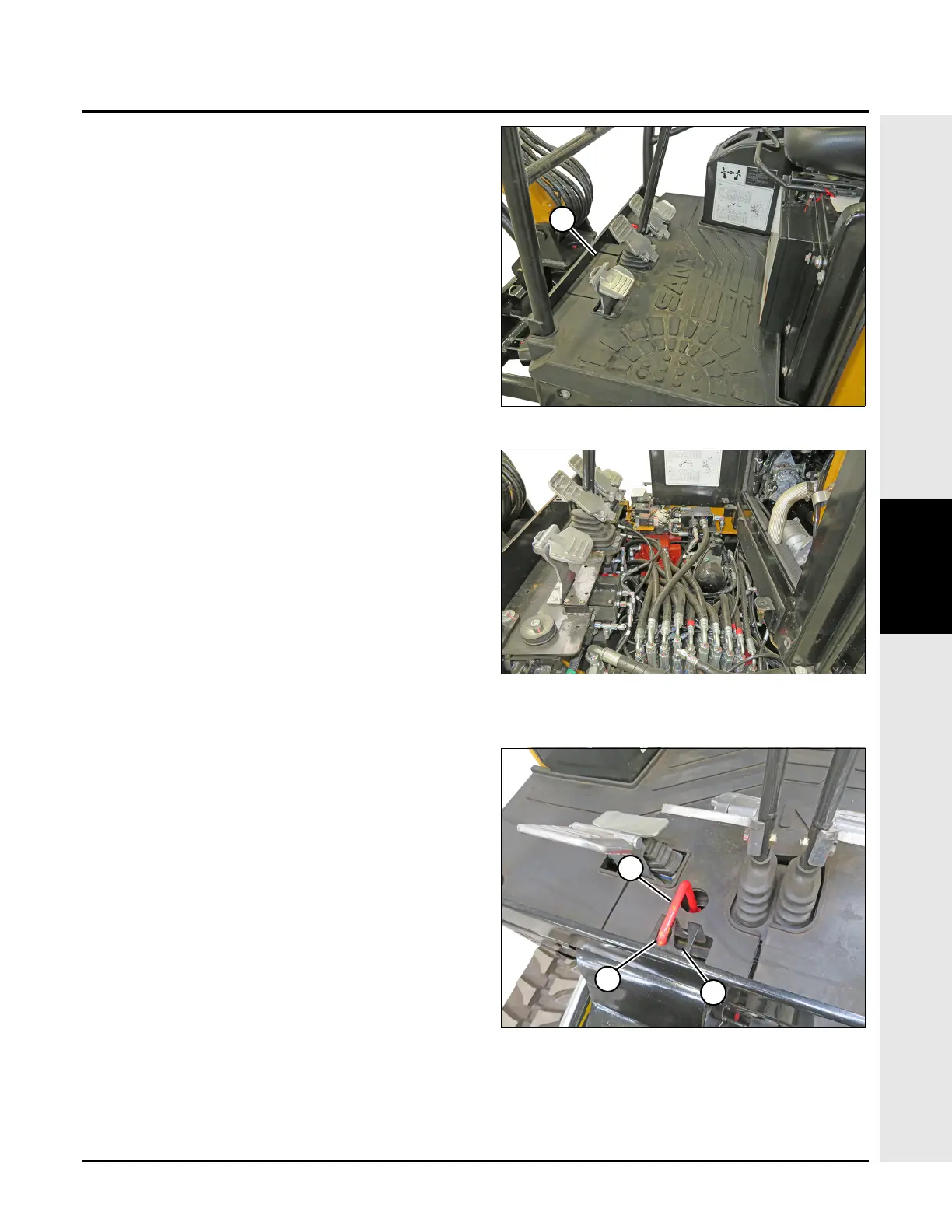
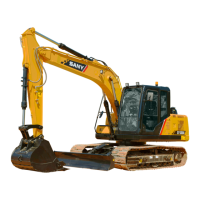
Floor Access Panel
The floor access panel (2) provides access to:
• Accumulator
• Hydraulic control valve
• Swing motor
• Electronic engine controls
To remove the floor access panel:
1. Lift up and remove the floor mat (1).
2. Remove the floor panel to access hydraulic
components and engine controls.
3. Install the floor access panel in reverse order of
removal.
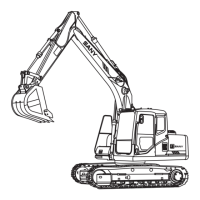
Boom Swing Lock Handle
When the machine is being transported, pull up on handle
and move the boom swing lock handle (1) to locked
position (2).
To ready machine for operation, pull up on handle and
move the boom swing lock handle (1) to the unlocked
position (3).


 To Next Page