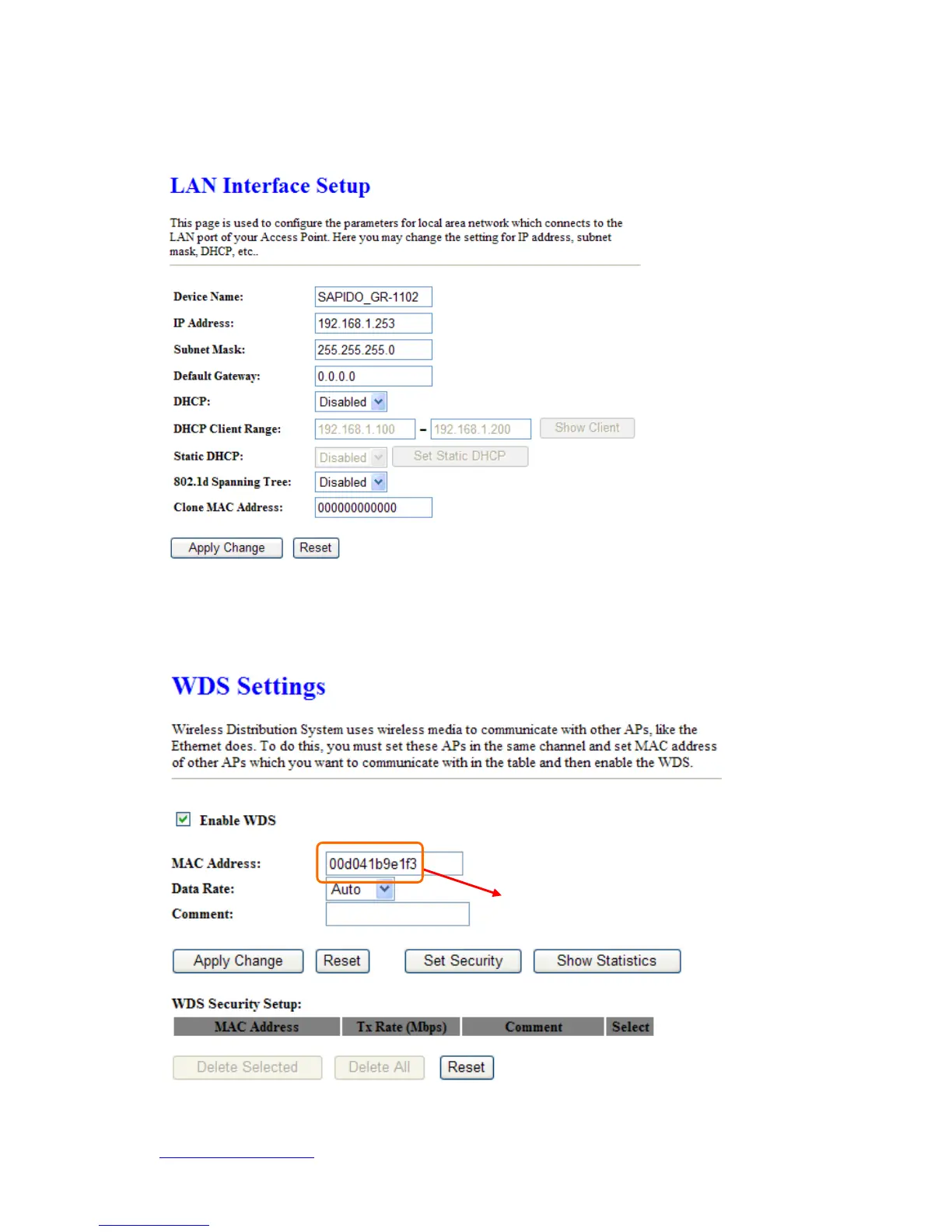
Step 5. Head back to LAN Interface, disable DHCP option, and then click Apply
Changes to save the setting data.
Step 6. Doing the same way to setup the MAC address in the paired device. Launch
the UT to the menu “WDS settings” of the paired device, and input router’s MAC
address. Click Apply Changes to save the setting data.
Please input the MAC
address.


 To Next Page