4.2 Basic Setup for Router Mode
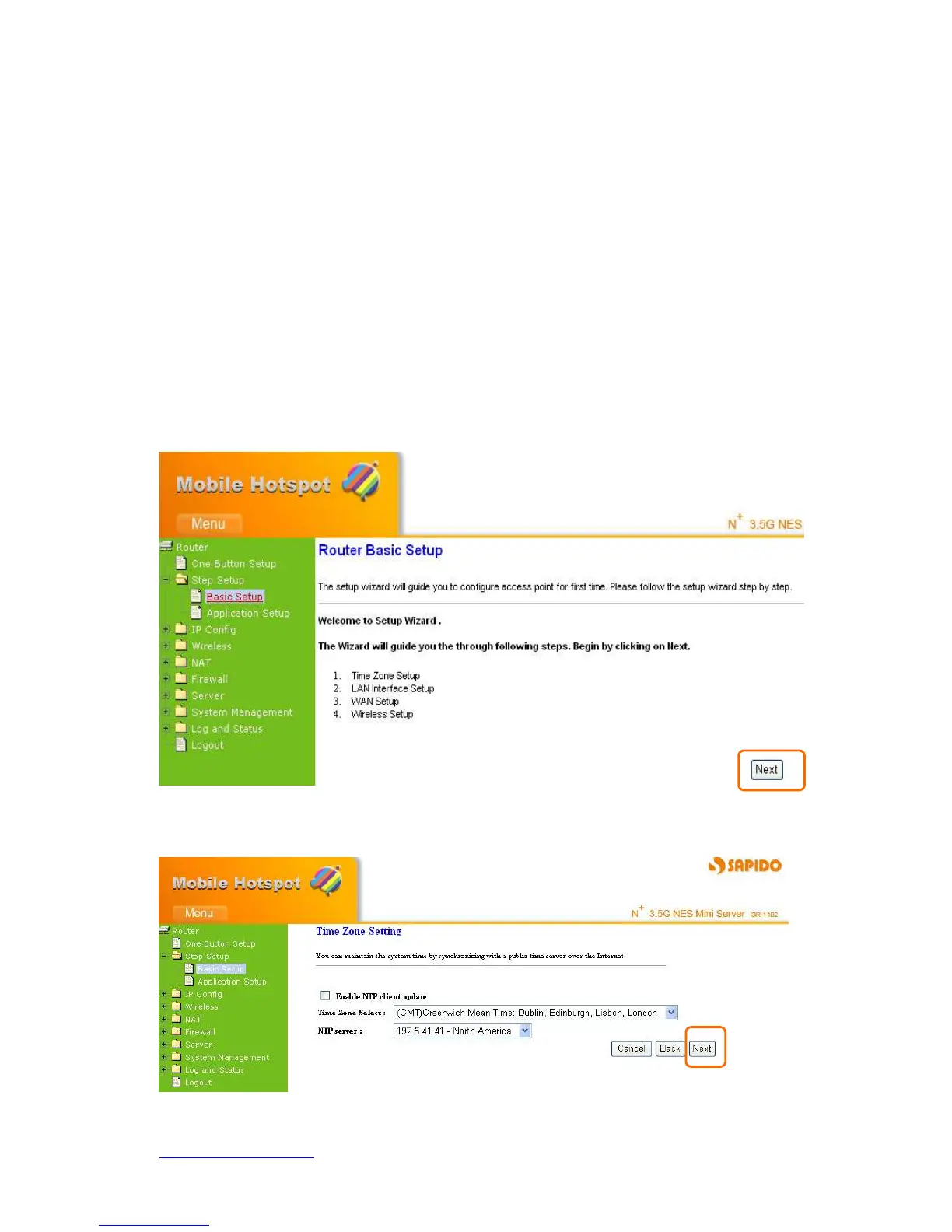
Typical Configuration Manager Page consists of two separate frames. The left frame
contains all the means available for device configuration. Menus are indicated by file
icons, and related menus are grouped into categories, such as LAN, WAN and etc., and
indicated by folder icon, depending on whether the group of menus are expanded or not.
You can click on any of these to display a specific configuration page.
Select Step Setup on the left of the main menu. Then you’ll see the full functionality
selection screen appears and detailed settings for each item, including “Basic” and
“Application” two parts.
Click Basic, you see 4 major items set in Basic Setup Selection. Please click Next to the
next page.
4.2.1 Time Zone Setup
Select Enable NTP client update to maintain the system time.



 To Next Page