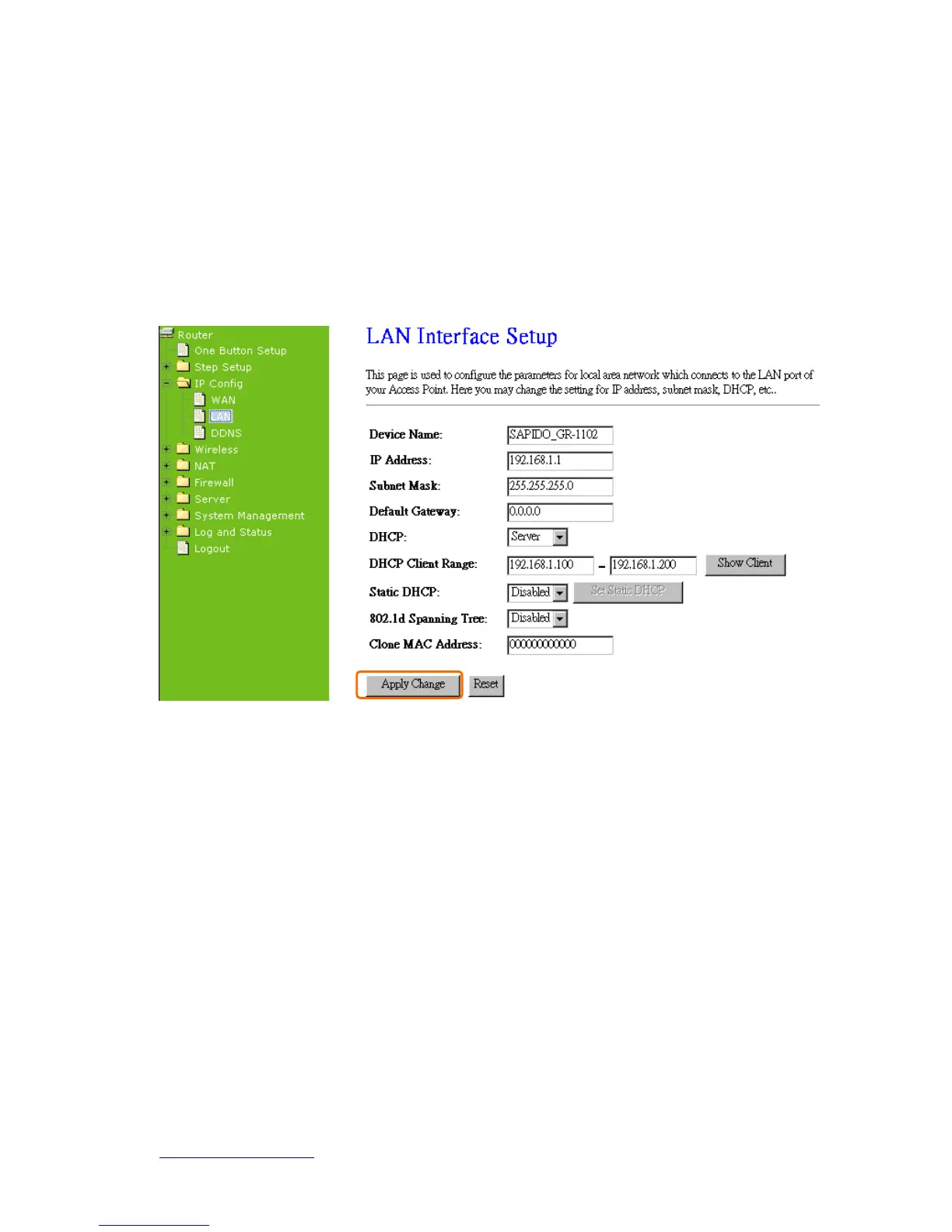
5.1.2 LAN Interface Setup
Use this page to set up the local IP address and subnet mask for your router. Please
select LAN Interface Setup under the IP Config menu and follow the instructions below
to enter the LAN setting page to configure the settings you want.
1. IP Address
The default value of LAN IP address is 192.168.1.1 for this router.
2. Subnet Mask
Input Subnet Mask, normally it is 255.255.255.0.
3. Default Gateway
Input ISP Default Gateway Address. If you don’t know, please check with your ISP.
4. DHCP
Enable or disable DHCP services. The DHCP server will automatically allocate an
unused IP address from the IP address pool to the requesting computer if enabled.
5. DHCP Client Range



 To Next Page