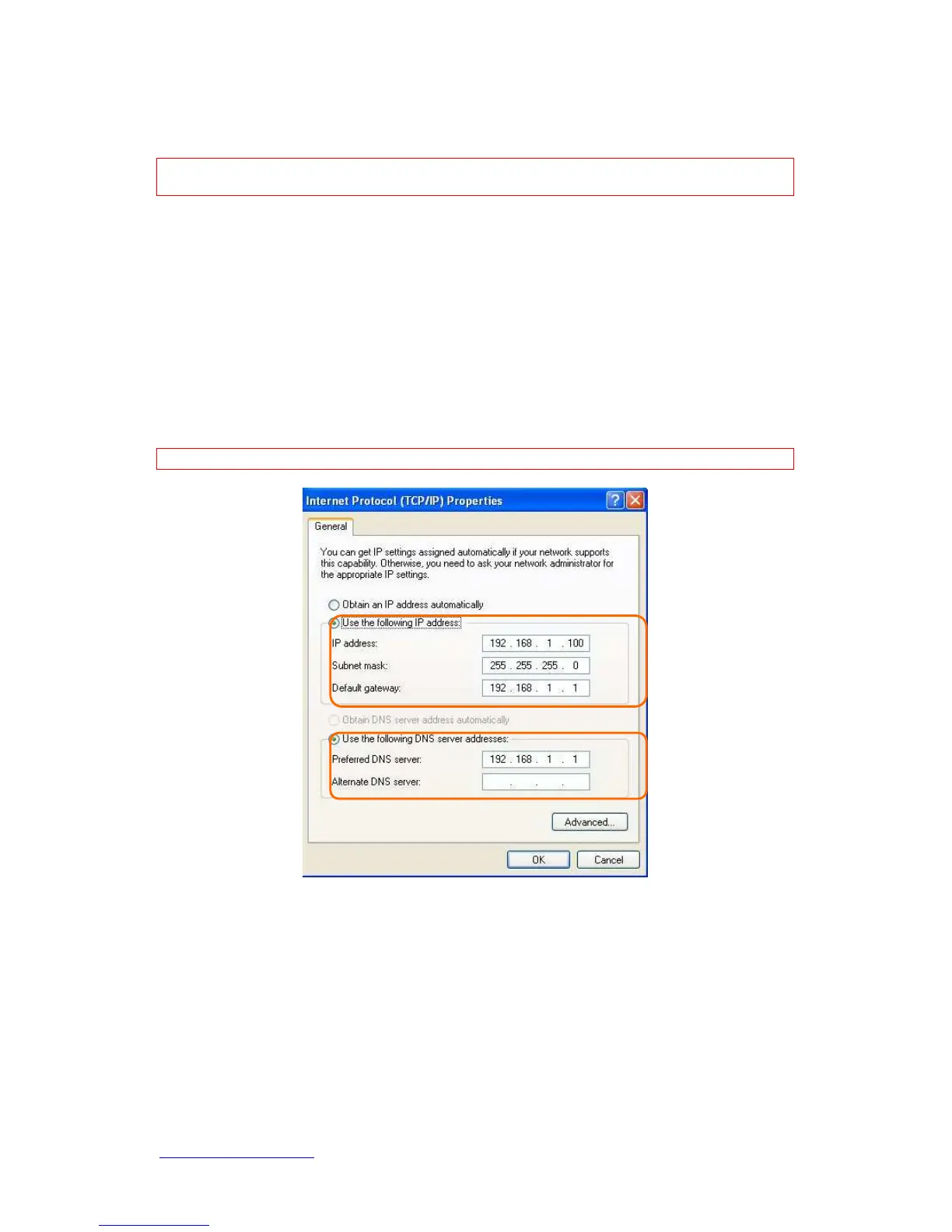
Subnet Mask: 255.255.255.0
Default Gateway: 192.168.1.1
Note: If you configure your computer’s IP Address manually, it needs to be on the same
network segment.
For example:
IP Address: 192.168.1.xxx (xxx can be any number between 2 and 253, but it can’t be
repeated, we use 100 to be the example.)
Subnet Mask: 255.255.255.0
Gateway: 192.168.1.1 (this is the IP address of N+ 3.5G Mini Server Router in Router
Mode)
DNS: 192.168.1.1 (use N+ 3.5G Mini Server Router IP address or on your own
choice)
Note: IP address and Default gateway cannot be the same.
1.5.1 Network Testing
There are two ways to test your Network whether it can work on Internet or not. They are
“Testing with Internet Browser” and “Testing with Dos”.
1.5.2 Testing with Internet Browser



 To Next Page