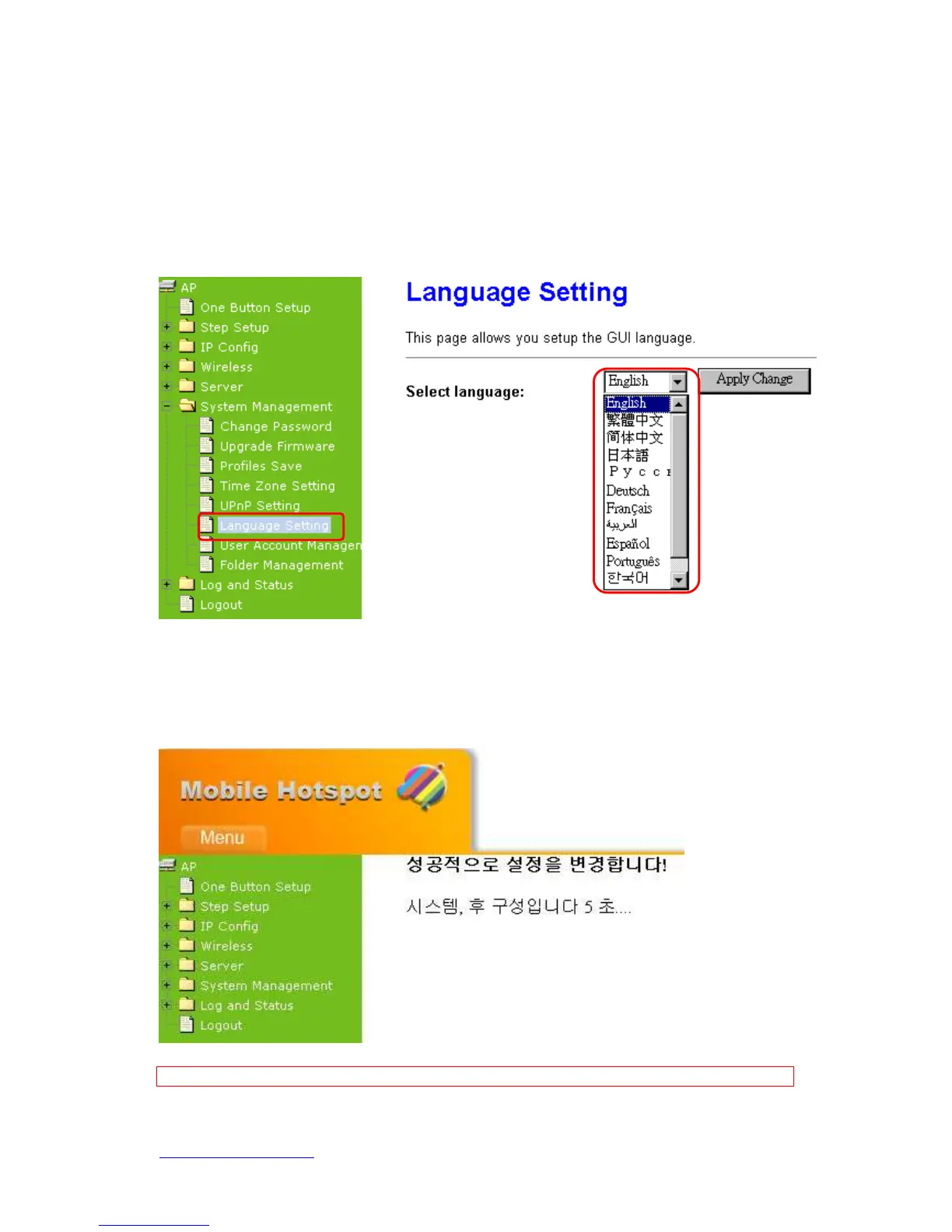
6.4.6 Language Setting
N+ 3.5G Mini Server Router provides a user friendly interface in 12 languages. You can
create your own language interface by following steps.
Step 3. Select Language: Select your preferred language from the drop down list,
for example, Korea, and then click Apply Changes.
Step 4. When you see the screen with message in your selected language, the
Language setup is completed.
Note: In order to prevent the incomplete translation, you can press “CTRL+F5” to force reload of the page.



 To Next Page