Note: In order to prevent the incomplete translation, you can press “CTRL+F5” to force reload of the page.
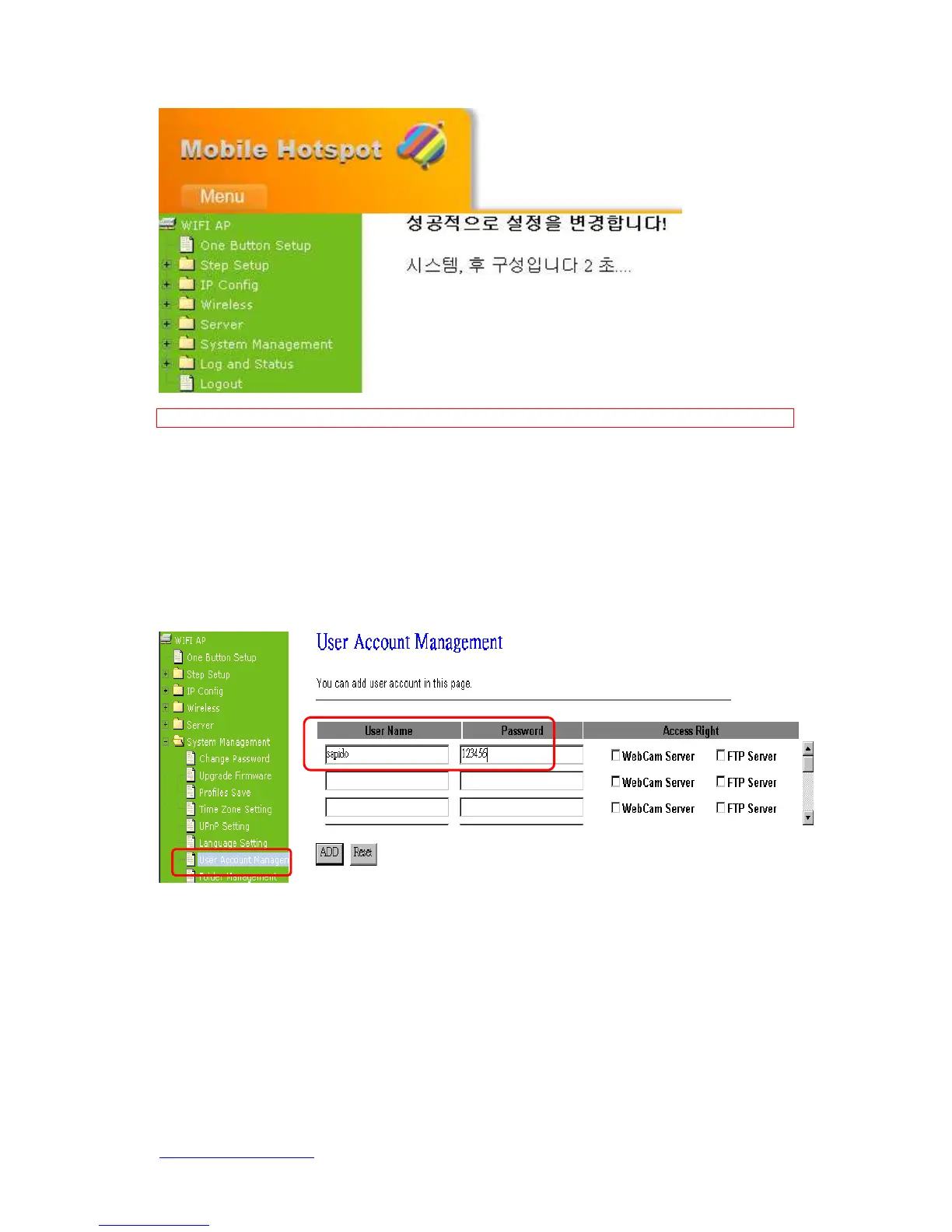
7.4.7 User Account Management
Personal users can use each individual application such as My Status, My Webcam and
Document. This section is to set the user’s right. Also, all the users’ rights will be showed
in User Account List and allowed to edit or delete by clicking the linking text.
1. User Name
Create the user name in this blank.
2. Password
Set up the user’s password.
3. Access Right
Check to allow set-user monitoring from webcam or using FTP server.


 To Next Page