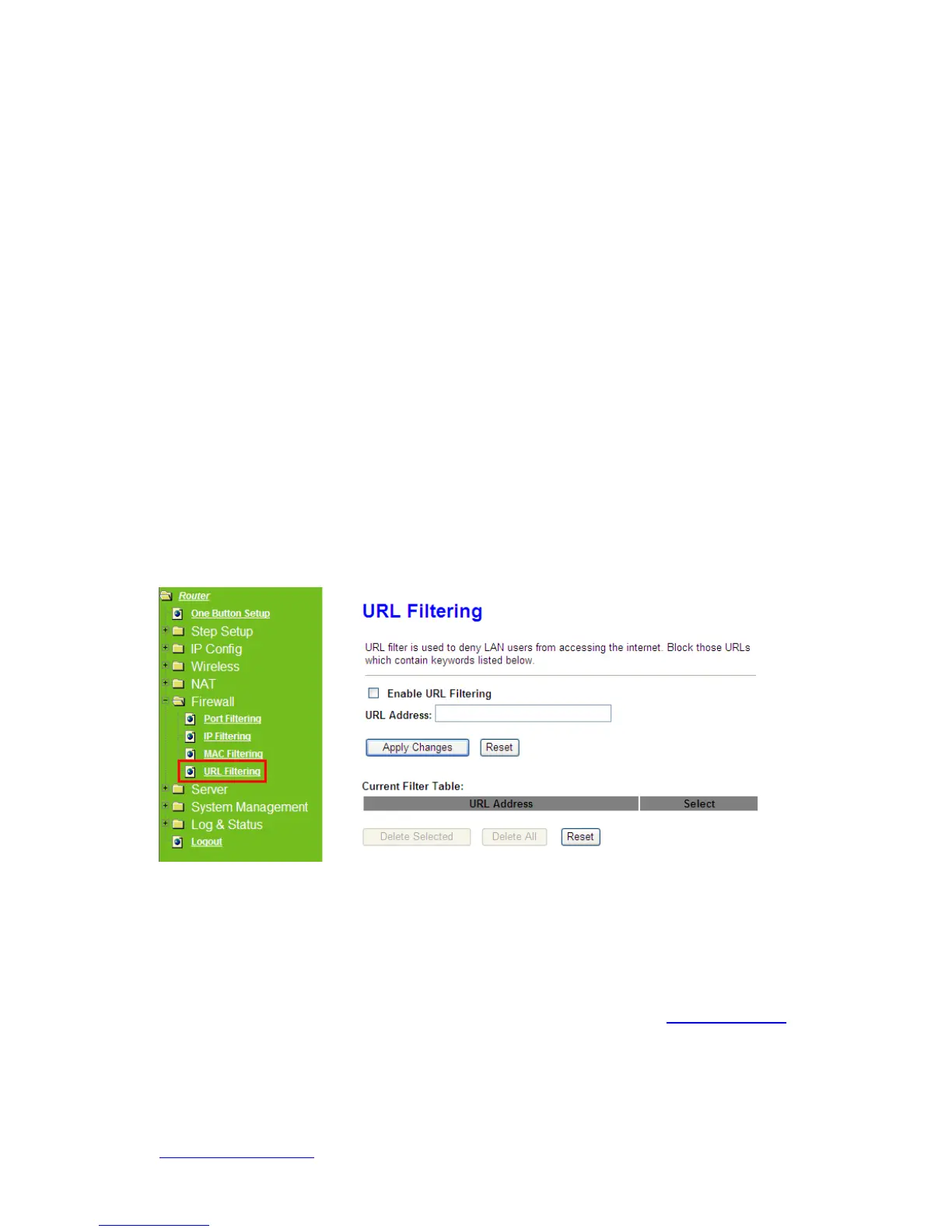
5.4.4 URL Filtering
Keyword based URL (Uniform Resource Locator) filtering allows you to define one or
more keywords that should not appear in URL’s. Any URL containing one or more of
these keywords will be blocked. This is a policy independent feature i.e. it cannot be
associated to ACL rules. This feature can be independently enabled / disabled, but works
only if firewall is enabled.
1. Enable URL Filtering
Check enable or disable to apply URL filter function.
2. URL Address
Enter the URL address into this blank to apply filter blocking, example:
“
www.yahoo
.com.
3. Apply Changes & Reset
Click on Apply Changes to save the setting data. Or you may click on Reset to clear all



 To Next Page