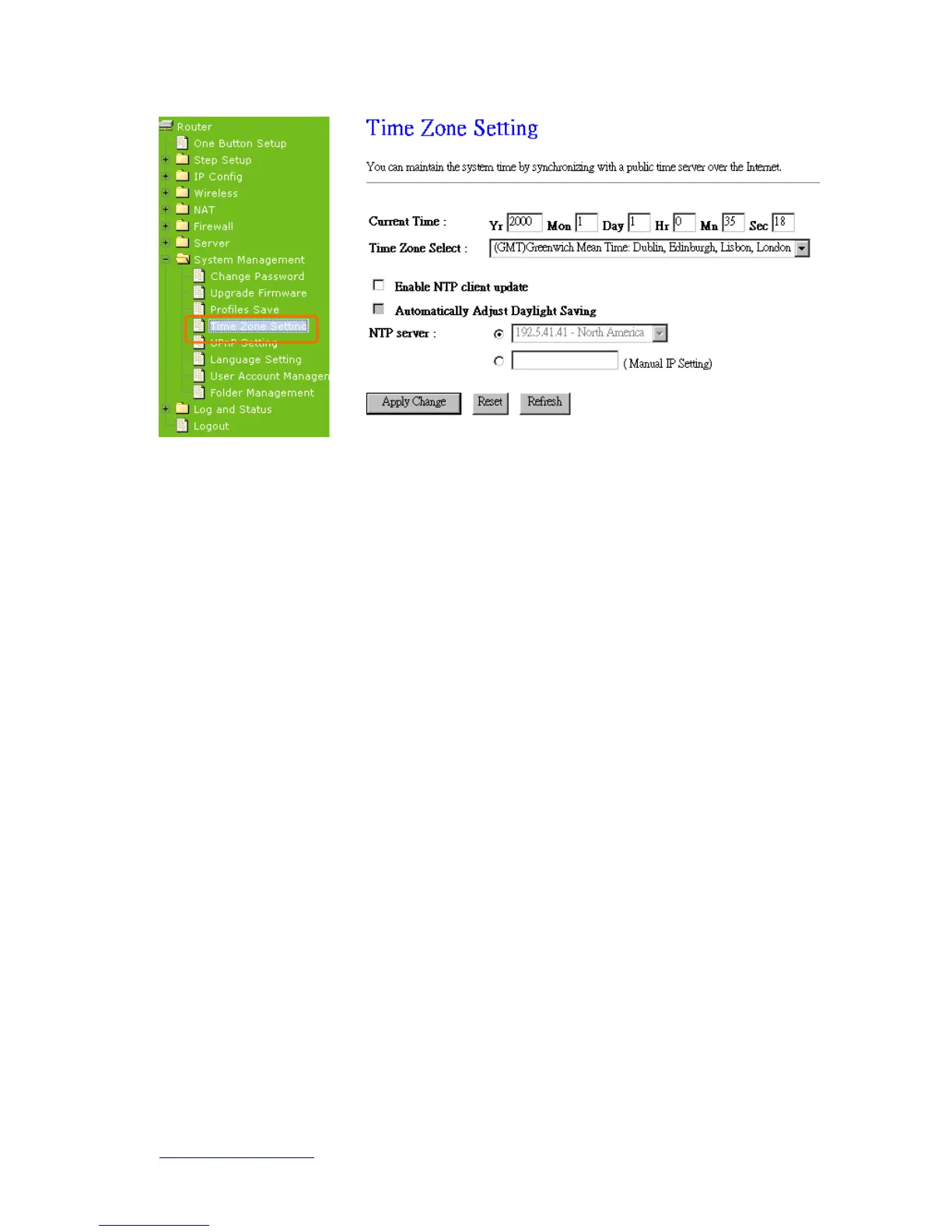
1. Current Time
Users can input the time manually.
2. Time Zone Select
Select your time zone location from the drop-down list.
3. Enable NTP client update
Check to enable NTP client update.
4. Automatically Adjust Daylight Saving
If you are in daylight saving time area, please enable this item.
5. NTP server
Please select the NTP server from the pull-down list, or you can enter the NTP server
IP address manually.
6. Apply Changes & Reset & Refresh
Please click on Apply Changes to save the setting data. Or you may click on Reset to
clear all the input data. Or you may click on Refresh to update the system time on the
screen.
7. NTP Server Type & Default NTP Server
Choose “General Time Server” and select the NTP Server from the drop-down list or
choose “Customized Time Server” and enter the server by manual.



 To Next Page