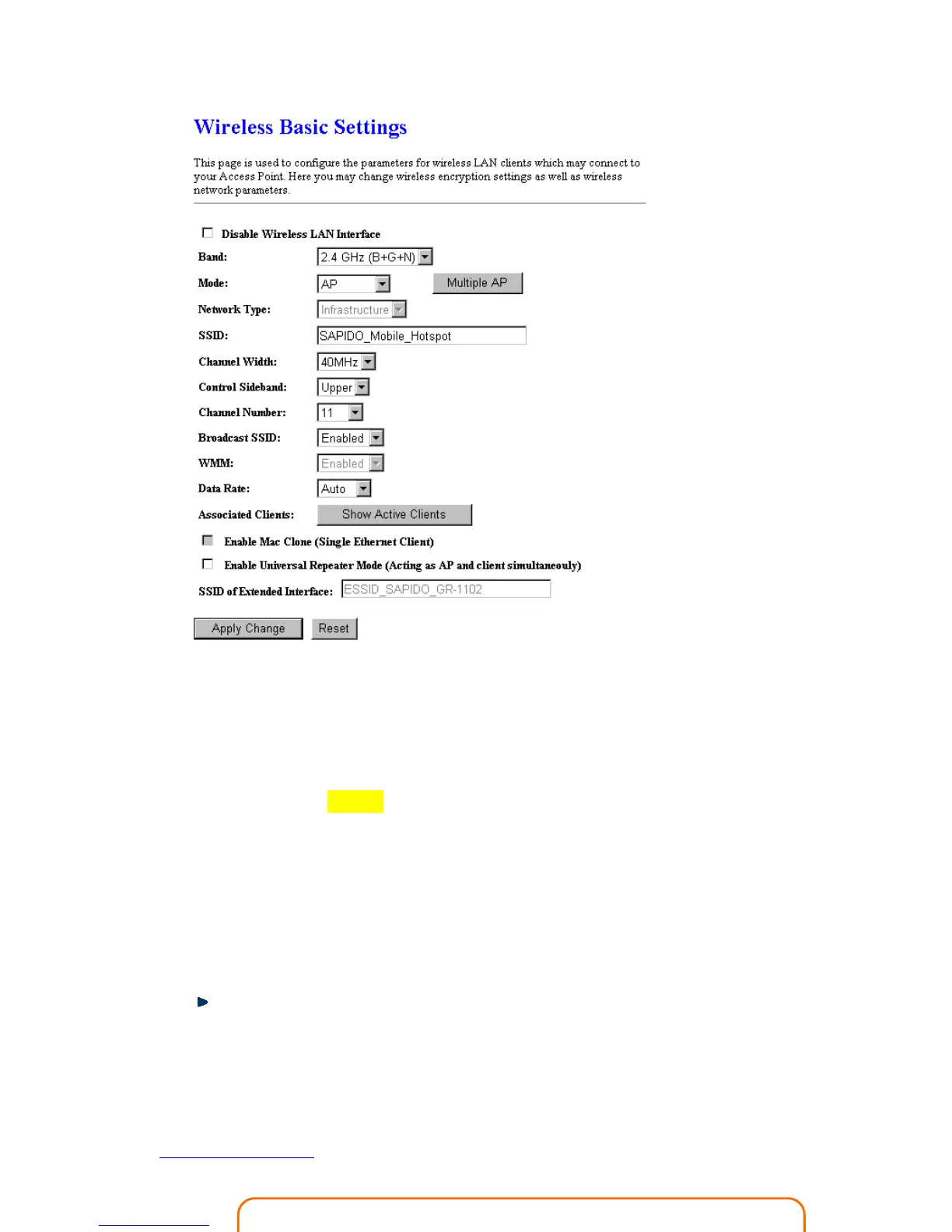
1. Disable Wireless LAN Interface
Select Disable Wireless LAN Interface to turn off the wireless function.
2. Band
This field indicates the 802.11x interface mode. For example, “2.4GHz(G)” prevents the
802.11b clients from accessing the router. “2.4GHz(B+G)” allows both 802.11b and
802.11g clients to access the router. There are 6 options, 2.4 GHz
(B/G/N/B+G/G+N/B+G+N) from the drop down list.
3. Mode
Select AP, WDS, or AP+WDS to allow or disallow the wireless operation.
Multiple APs
Click Multiple APs to set up 4 different SSIDs to deploy a shared WLAN. Users can
add or limit the properties for each SSID, increasing the flexibility and efficiency of
the network.



 To Next Page