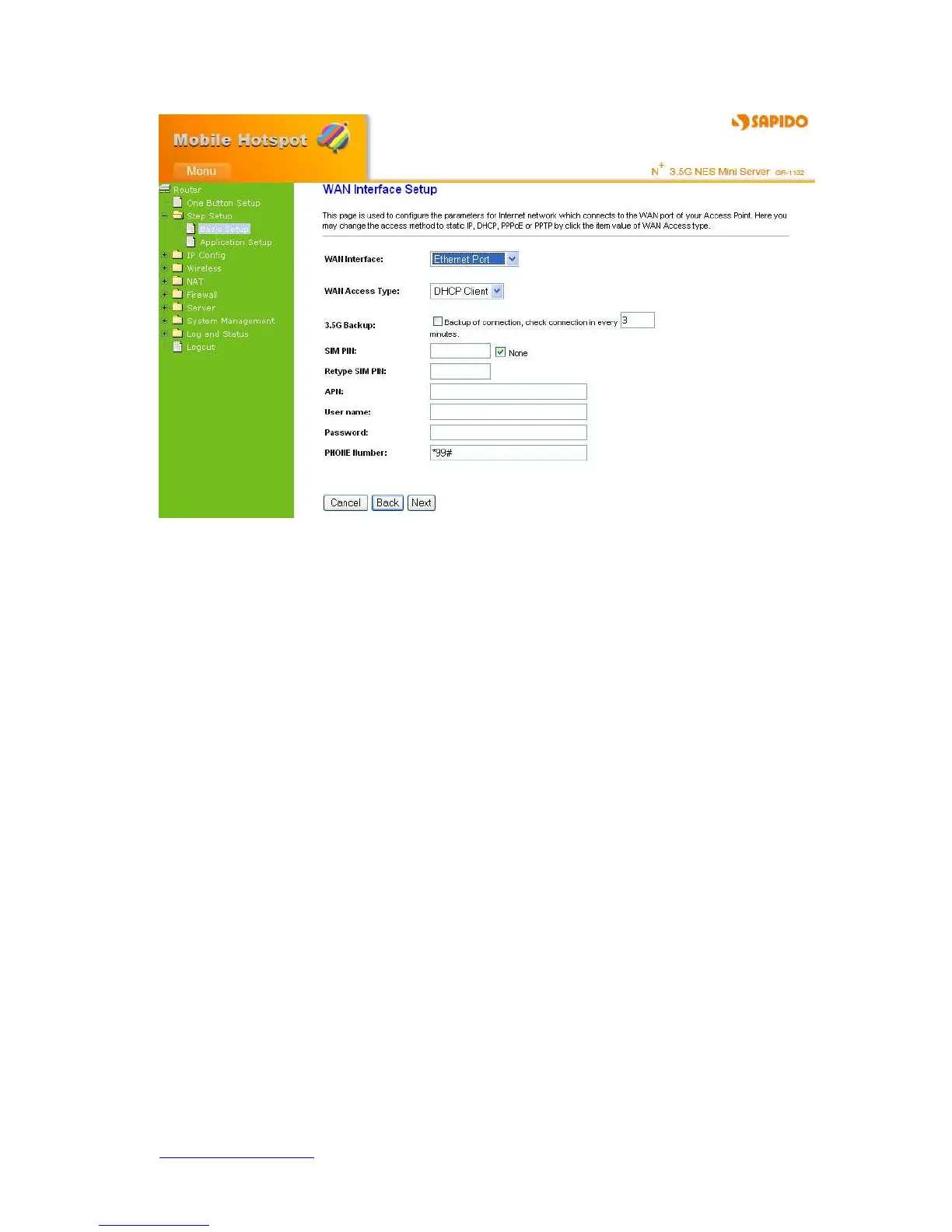
Choose your WAN Interface and Access WAN type as the above mentioned, and click
Next, its associated settings will show up.
4.2.3.1 WAN Interface–3.5G (HSDPA/UMTS)
If you are using HSDPA/UMTS (3.5G connection) as the WAN Type, please select 3.5G
USB Dongle and fill in the required information as follows to directly access Internet via
connected 3.5G adapter. At this moment, Backup of Connection is not available. When
3.5G signal cannot be reached, the system starts to search downward for 3/2.75/2.5G
signals until none existed.



 To Next Page