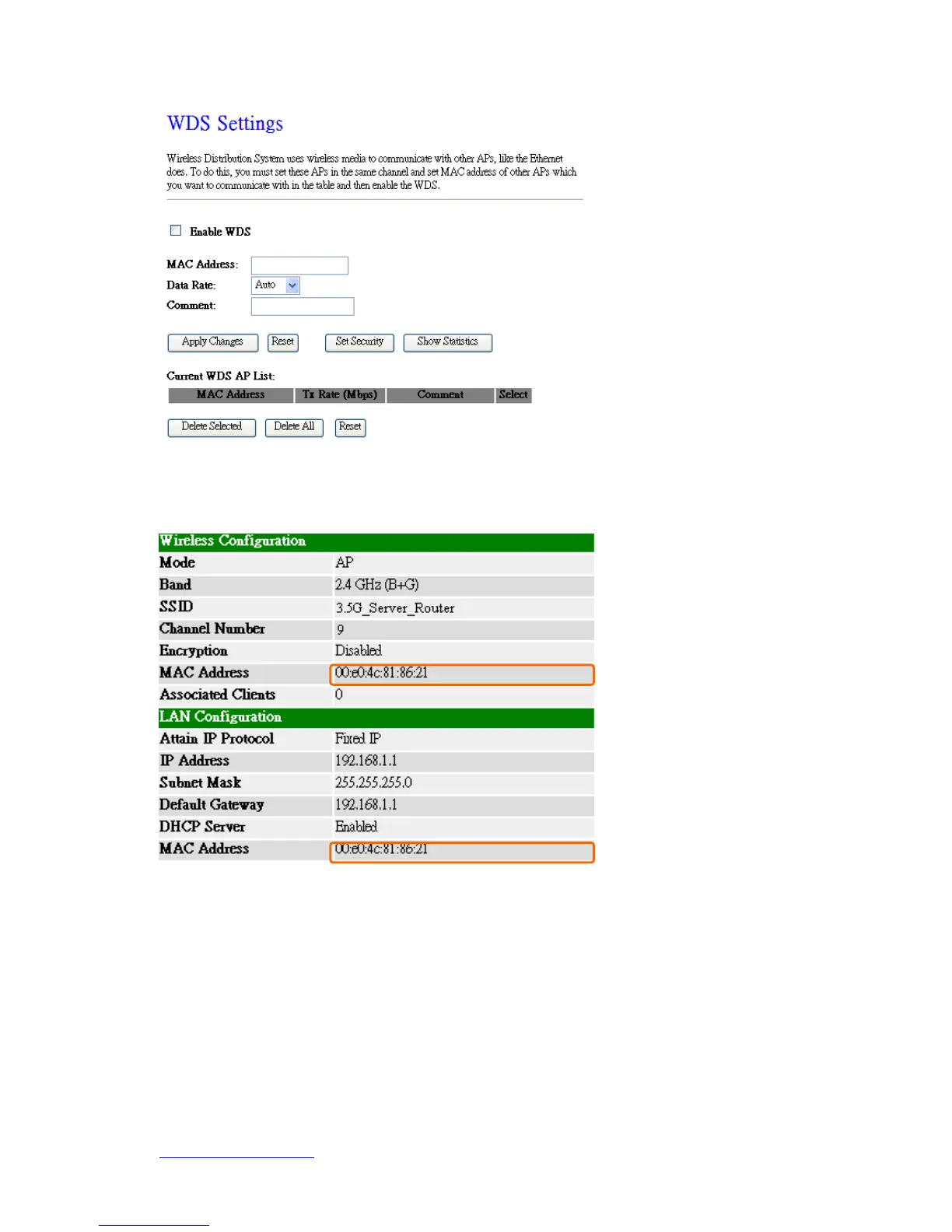
Step 1. Check the MAC address and Channel number of the device you want to
setup WDS with N+ 3.5G Mini Server Router.
Step 2. Get back to the menu “Wireless Basic Settings” of N+ 3.5G Mini Server
Router. Select AP+WDS mode, and then select the Channel Number. Click Apply
Changes to save the setting data.



 To Next Page