Sapido Technology Inc. www.sapido.com.tw
102
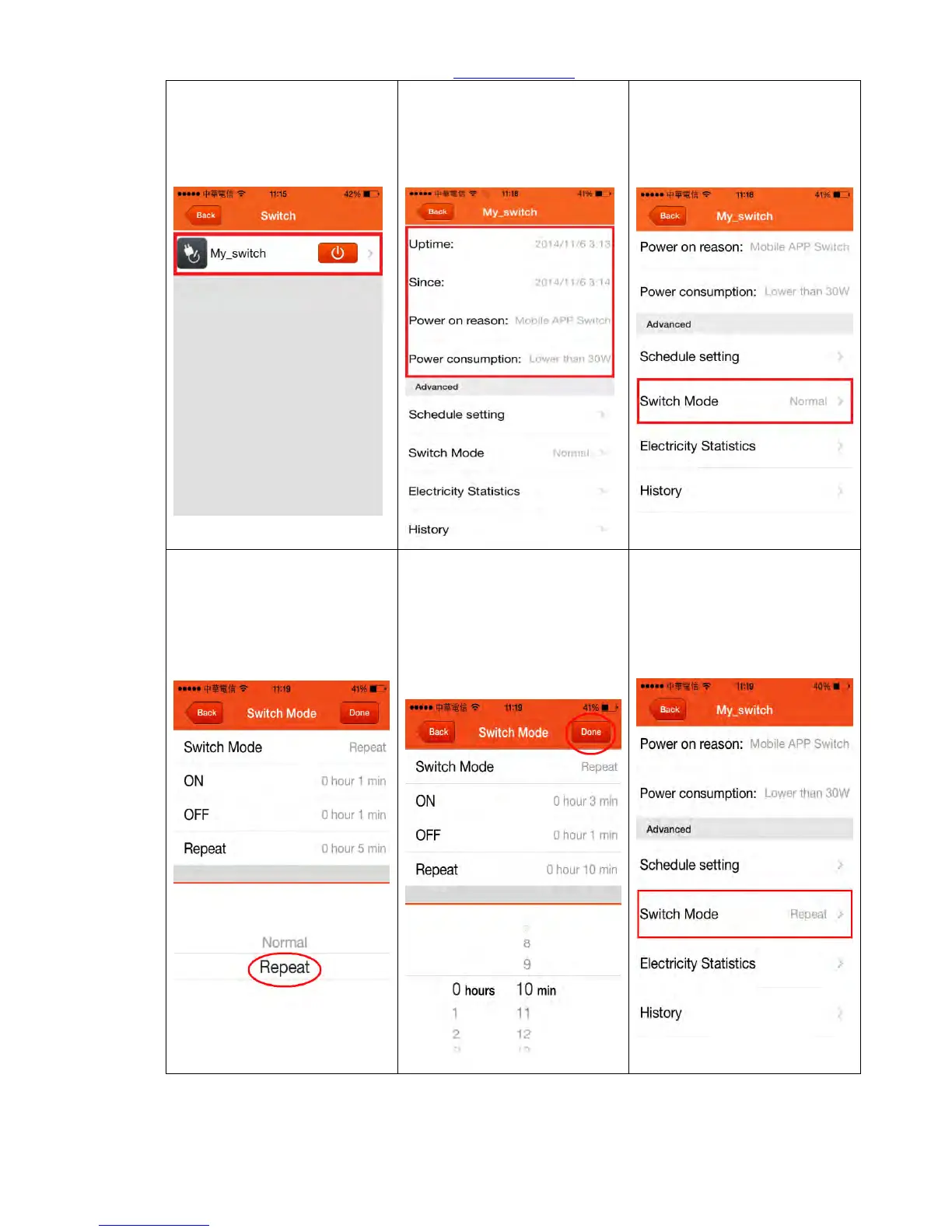
Step 4. Select one specific
electric appliance
Step 5. You can view different
functions such as: Power on
Reason, power consumption,
Uptime & Since time of
startup.
Step 6. If you want to change
the Switch Mode to “Repeat”,
click <Switch Mode>.
Step 8. Get Started to set up
Repeat Condition, for
example, let it power on for 3
minutes and turn off for 1
minute in 10 minutes as a
period. Click <Done> to finish
setting.
Step 9. Back to the front page
automatically, and your
electric appliance will follow
the schedule you have set-up



 To Next Page