Sapido Technology Inc. www.sapido.com.tw
151
11.2.3 File Edit
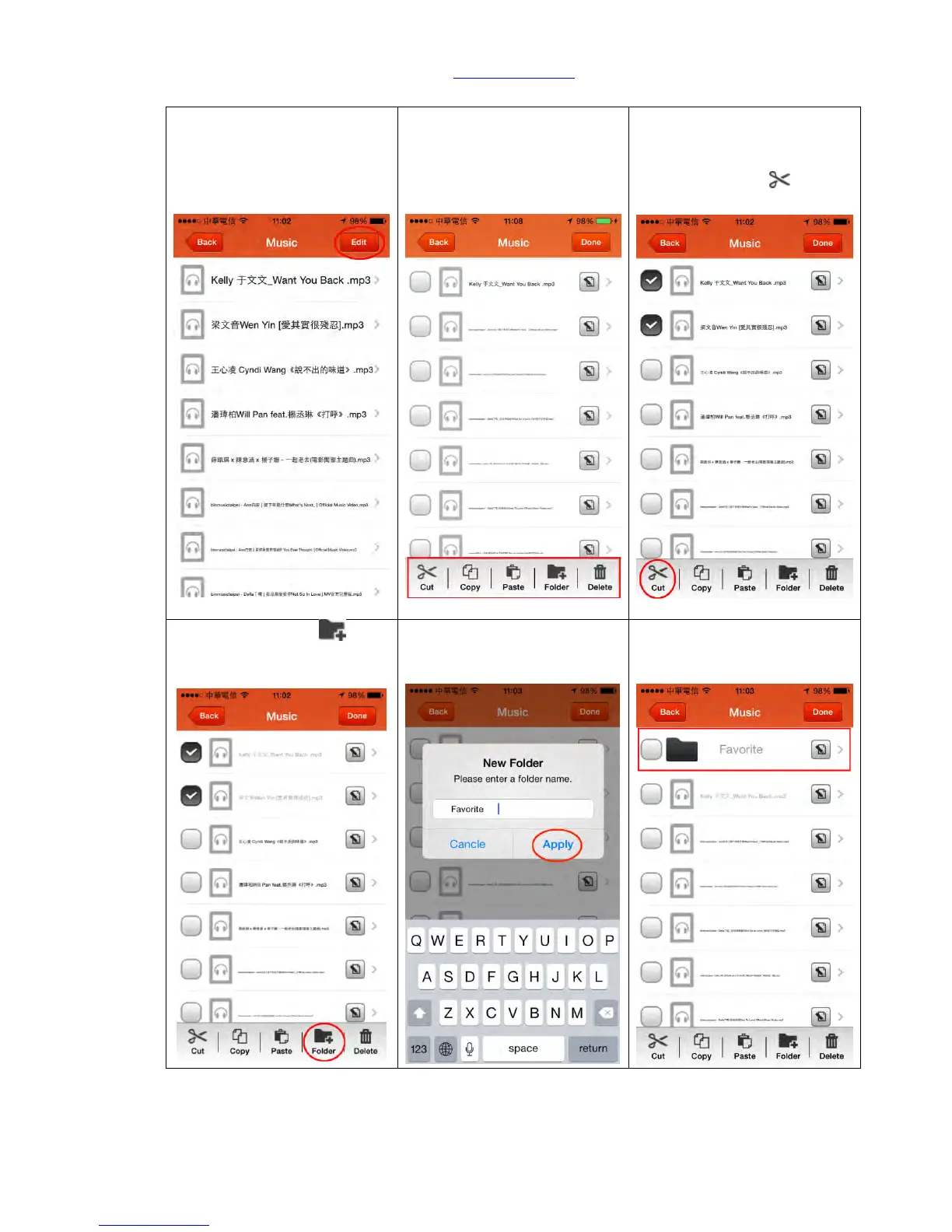
Step 1. First find the file you
want to edit, and click “Edit”
on the top right corner.
Step 2. Function keys of
Rename and Edit will appear
in the right hand side and in
the bottom (cut, copy, paste,
folder and delete)
Step 3. You can do the file
and data edit here; please
select the files you want to
sort and click “Cut ”
Step 5. Enter the name of
new folder and click “Apply”
to confirm.
Step 6. Select the new added
folder.



 To Next Page