Sapido Technology Inc. www.sapido.com.tw
104
7.1.2 Schedule Setting
Smart Cloud Switch can turn on/off your electric appliances based on the schedule that you
have set. You can decrease the trivial events, like turn on/off many electric appliances at
home. Smart Cloud Switch will give you an energy-saving life style.
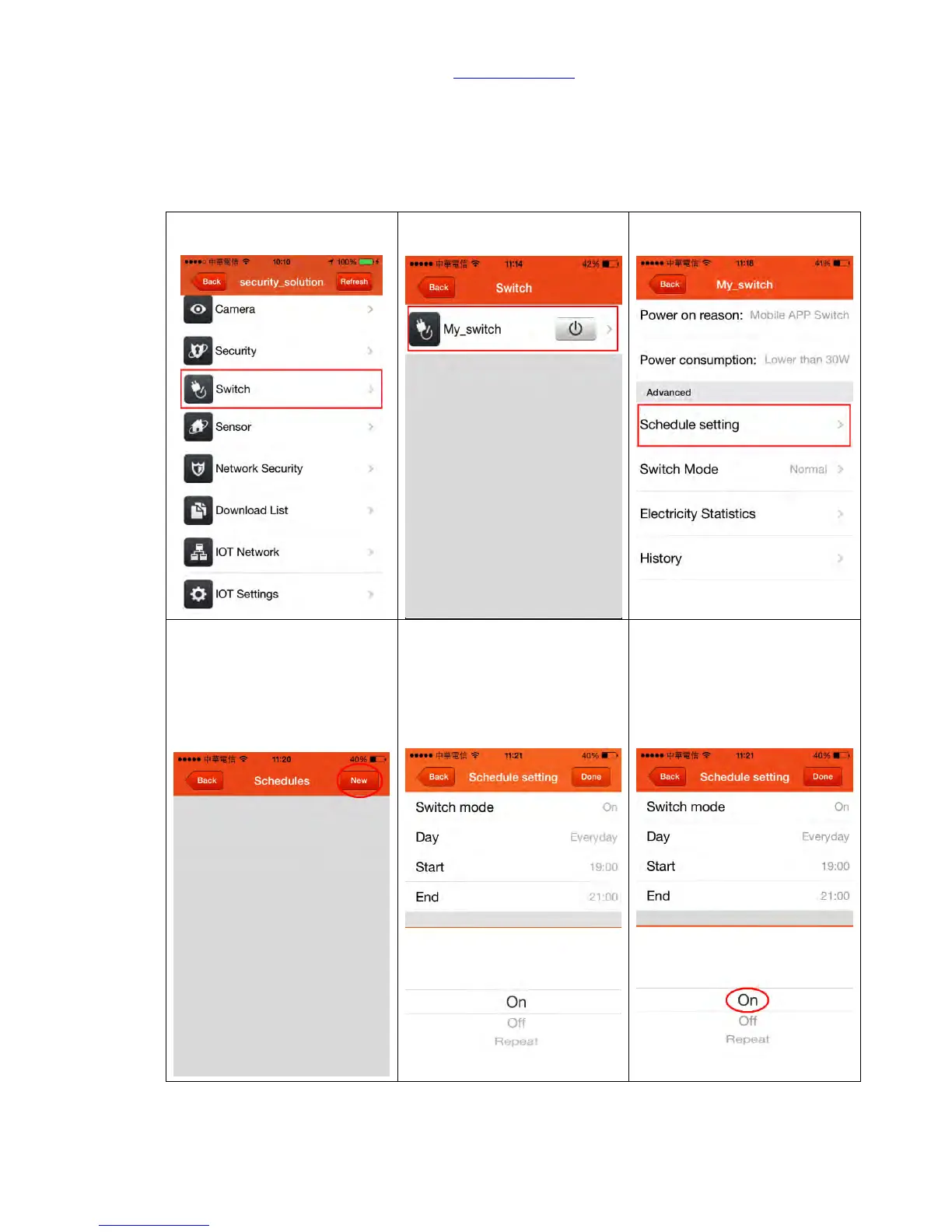
7.1.2.1 Set Up Schedule of Power On/Off
Step 2. Select the specific
electric appliance
Step 3. Select <Schedule
setting>
Step 4. Click <New> on the top
right corner to add your new
schedule
Step 5. There are three modes
for power On/Off:
OFF: power off
ON: power on
Repeat: power on/off
circulation
Step 6. If you want to select
power mode in ON, just select
it



 To Next Page