Sapido Technology Inc. www.sapido.com.tw
145
11.2 Download List – How to manage the files of mobile device (Smartphone / Tablet)
Provide the management and edit function to the files and data downloaded from APP or
originally saved in smartphone. You can even do the off-line browse under network disconnect
status.
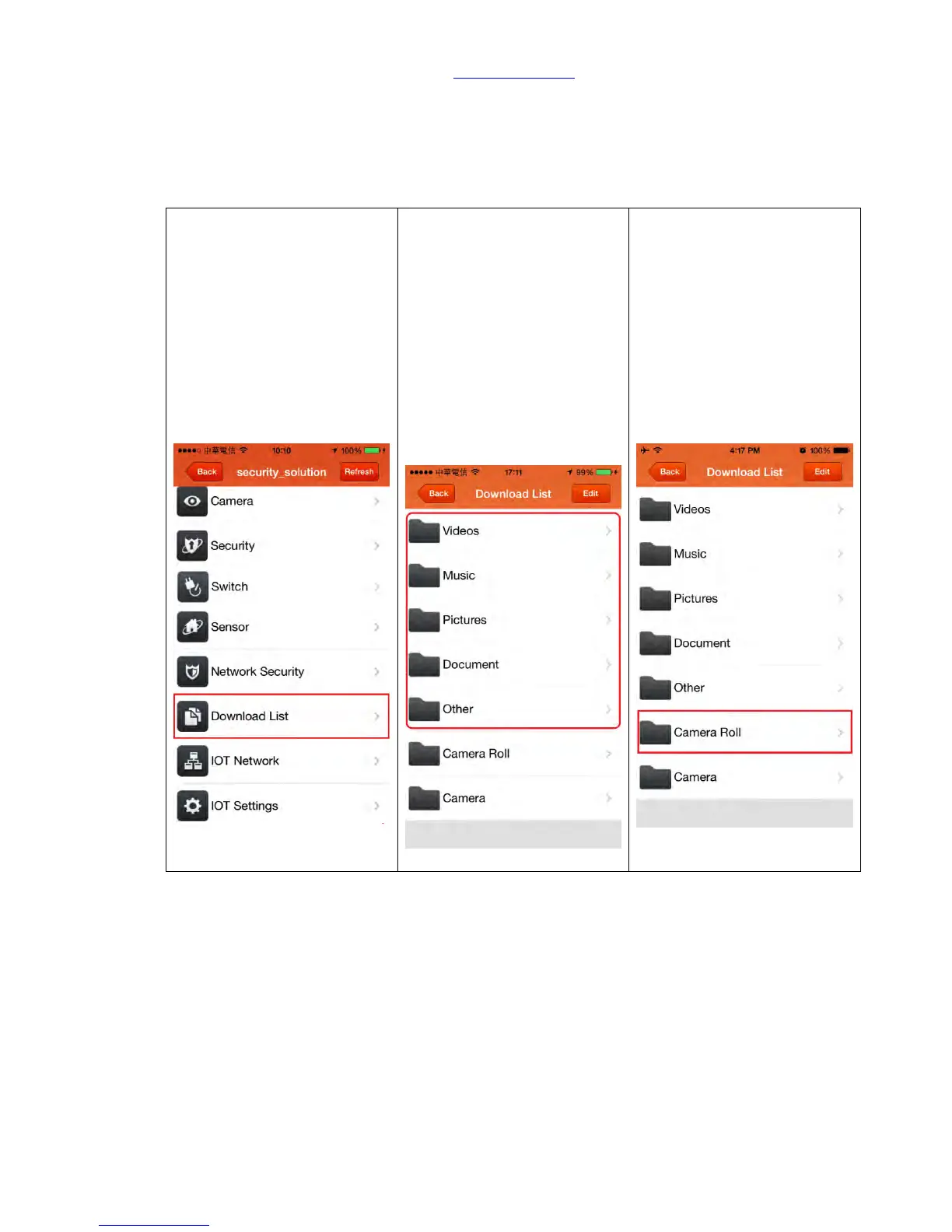
Step 1. Click “Download List”
to show all files.
Step 2. The files downloaded
via Sapido APP will be
automatically sorted by file
format (JPG, MP3, AVI,
EXE...) and stored in first 5
folder (ex: JPG will be
automatically stored in
“Picture” folder)
(If you never download any
file via Sapido APP, and no
file would be showed those 5
folders.)
Step 3. Photos and videos in
“Camera Roll” are all from
your mobile device, you can
quickly browse via this
shortcut.



 To Next Page