Sapido Technology Inc. www.sapido.com.tw
101
7.1 Cloud Switch APP On/Off and Schedule Set-up
If you are out or on the way to work, and forget to turn off the electric appliances, such as fan, and
light, etc. You can power ON/OFF the appliances via the Cloud Insight Switch APP power switch
mode. In addition, you can operate the appliances in your house along with the set schedules of
Smart Insight Switch through cycling time setting and schedule function, to surely accompany with
daily routine and fully saving the energy and cost.
7.1.1 Set up Schedule of Power On/Off
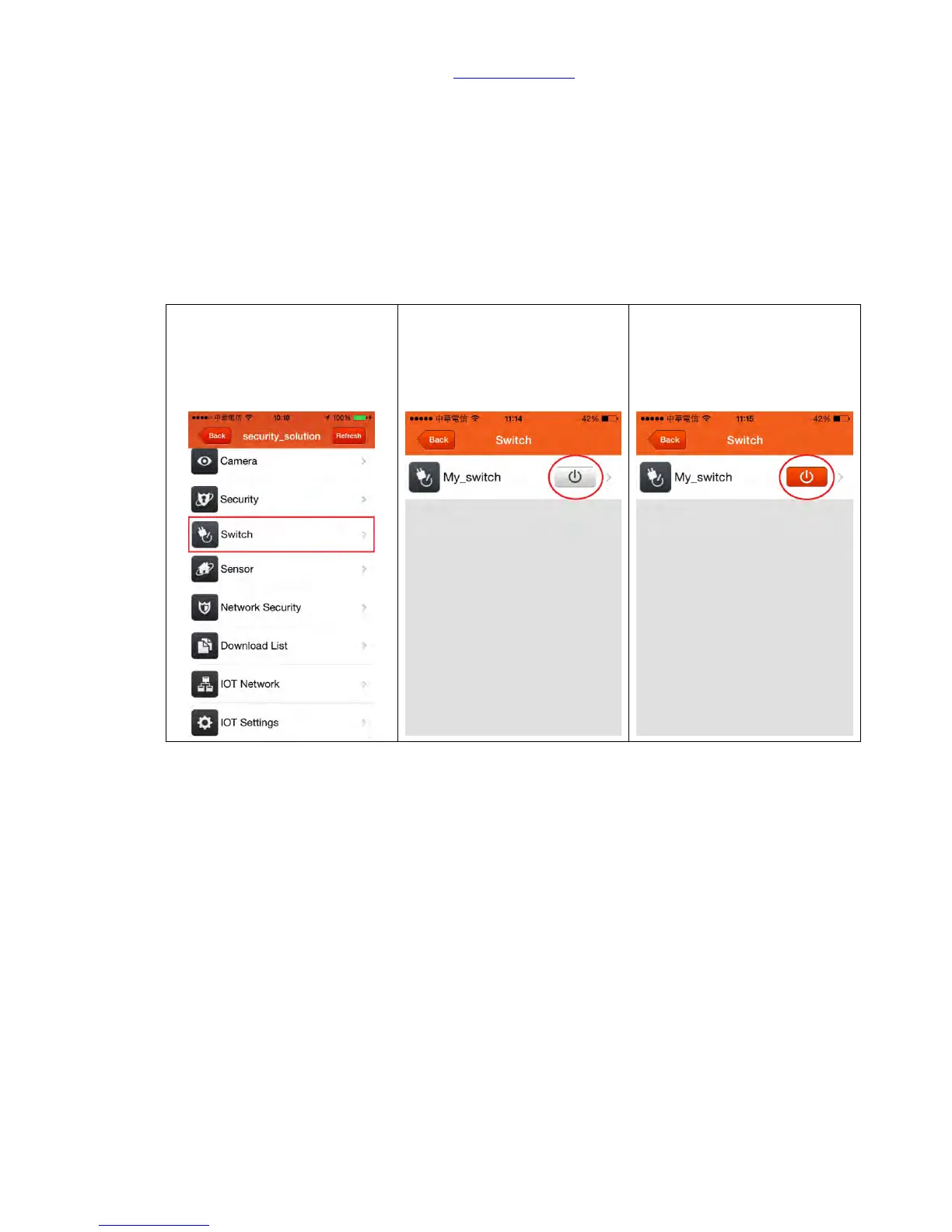
Step 2. Click one specific
electric appliance's power
button at the right next to
device name, button is grey
means OFF.



 To Next Page