Sapido Technology Inc. www.sapido.com.tw
141
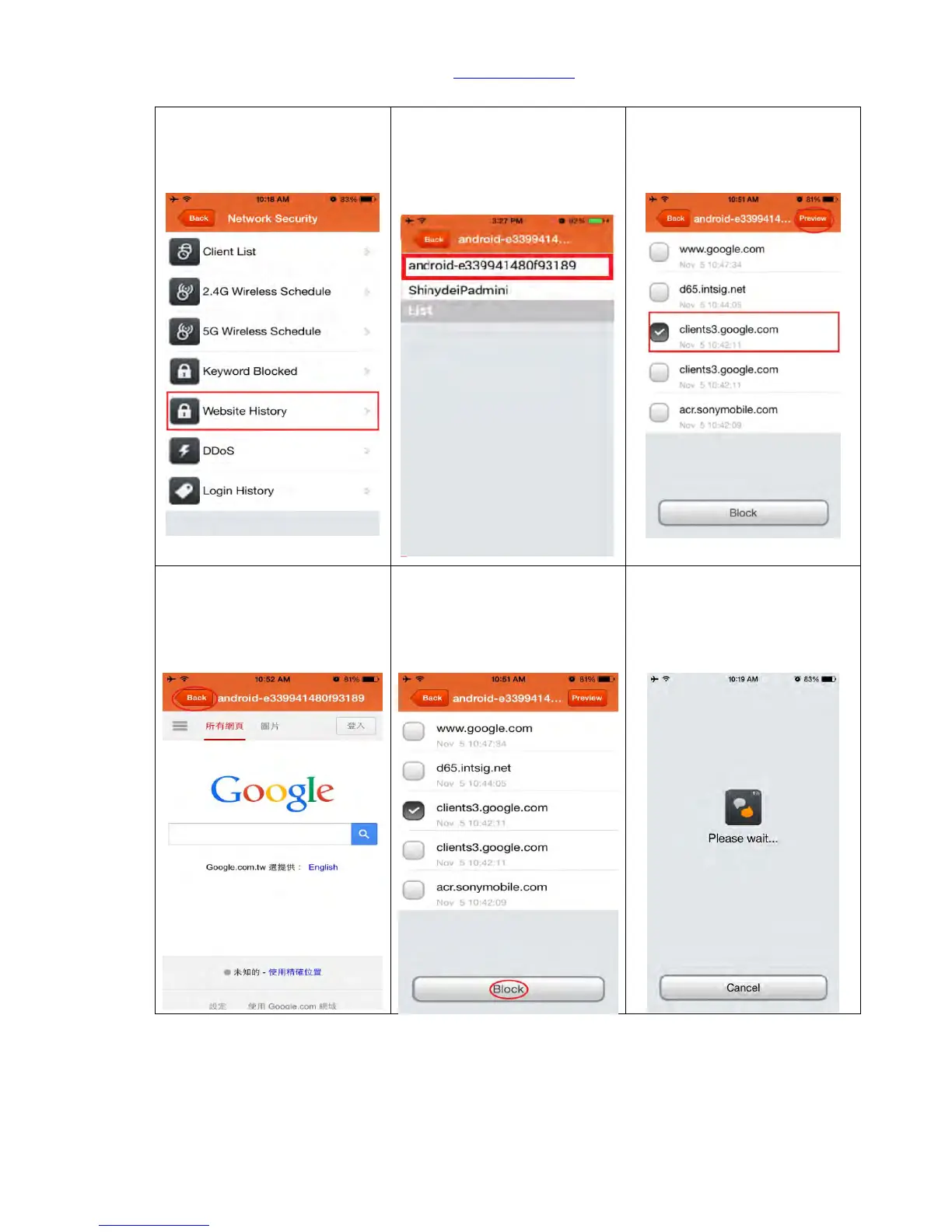
11.1.5 Website History
Step 1. Click “Website
History” to review all devices
which are connected to
internet via this router.
Step 2. Access to the website
history checklist and select
the device you want to
review.
Step 3. To review all visit
website checklist of device,
and you can select any of
website and click “Preview”.
Step 4. You can first preview
the visited website and
decide if blocking the website
or not. Click “Back” to end.
Step 5. Again return to
website checklist and select
the website you want to
block, click “Block” in below
to confirm.
Step 6. Setting, please wait…



 To Next Page