Sapido Technology Inc. www.sapido.com.tw
91
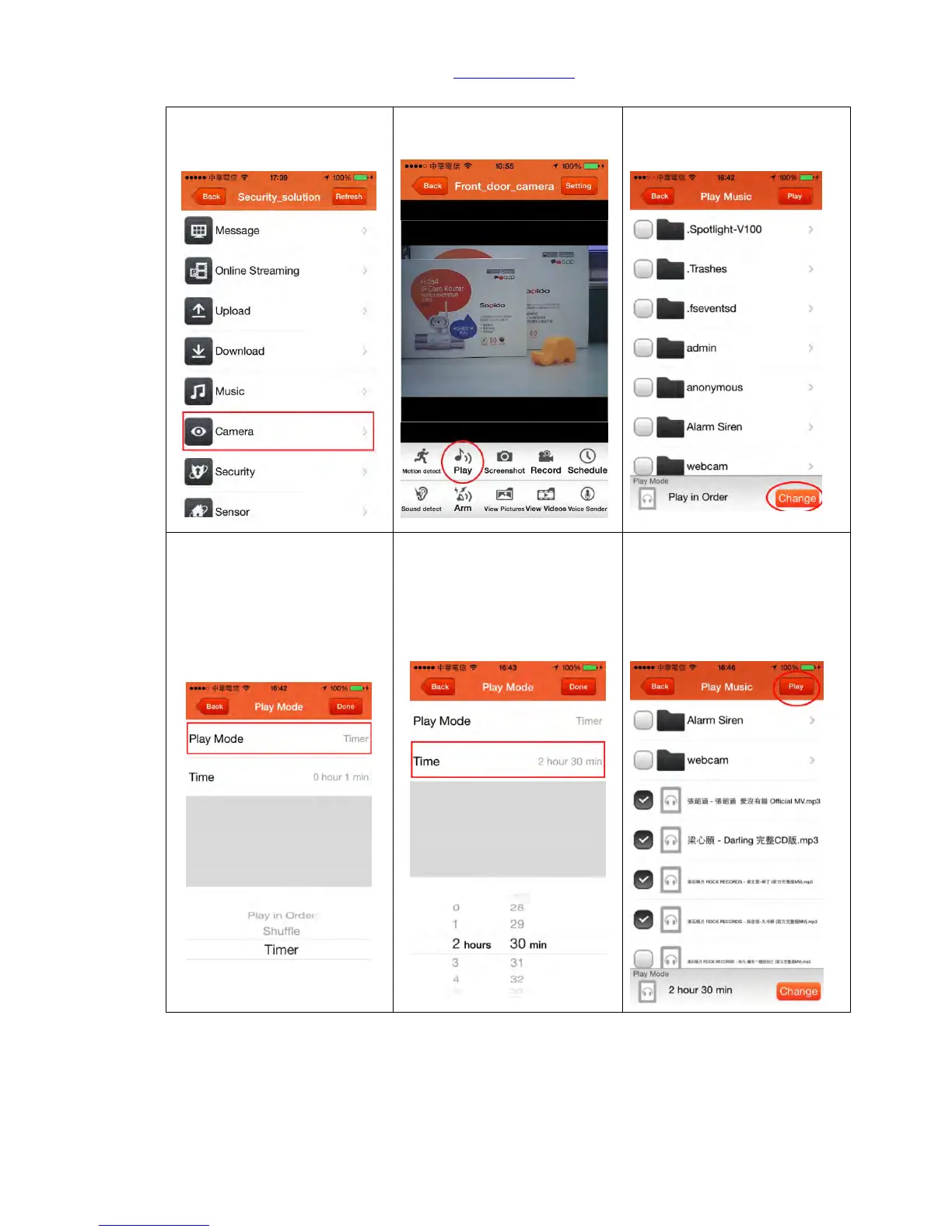
6.3.2 Play music in USB drive
Step 3. Select the music you
want to upload and click
“Change” to choose path.
Step 4. Select the “play
mode” per your need
In order: Play in order
Repeat: Repeat all selected
music and play
Timer: Play in scheduled
hours/minutes and stop
Step 5. If you want to play
music for 2 hours and then
stop, please first select
Schedule Mode and set up
the time, click “Done” to
complete.
Step 6. First select the music
you want to play (or whole
folder), and click “Play” on
the top right corner.



 To Next Page