Sapido Technology Inc. www.sapido.com.tw
84
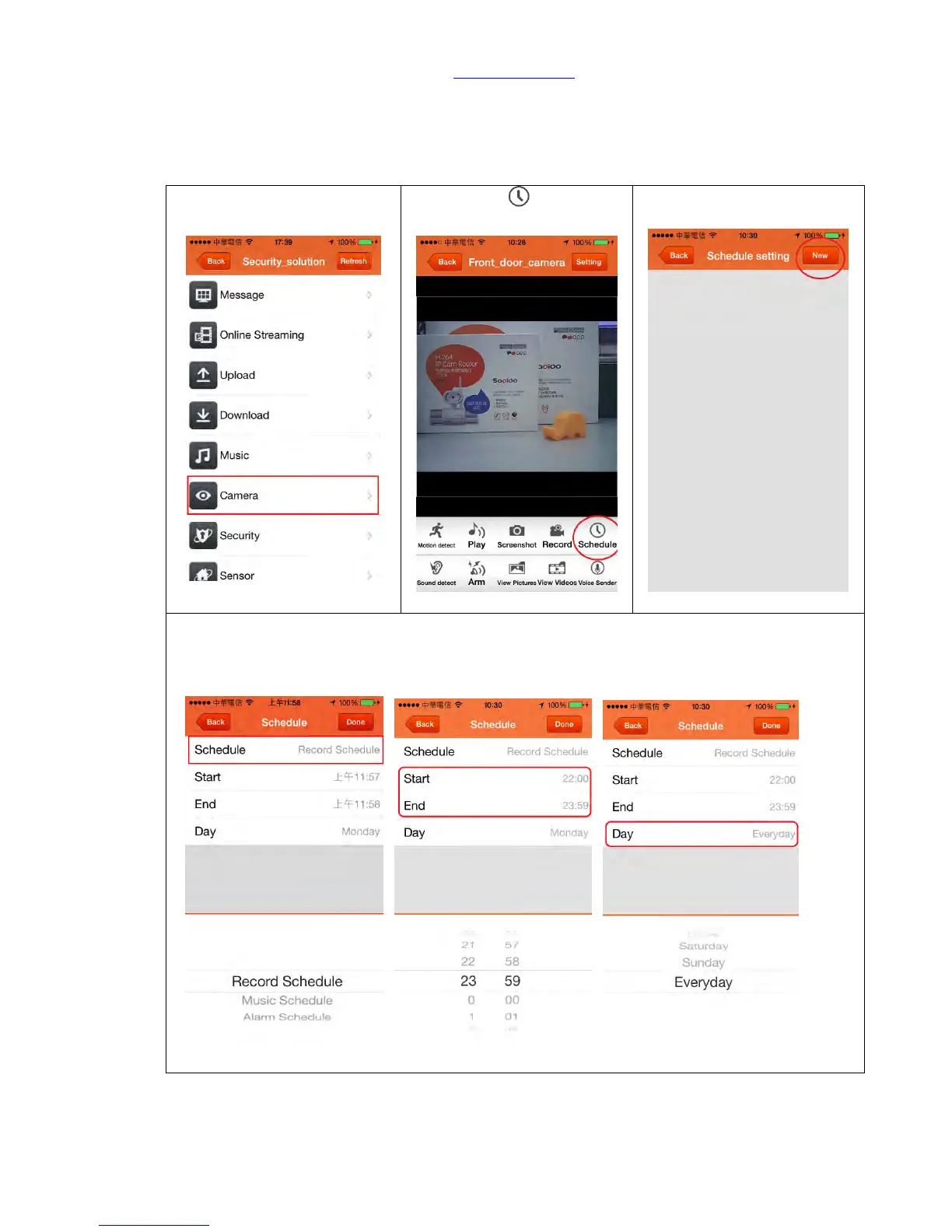
6.1.2. Personalized Recording Schedule
You can set up the recording schedule at different time based on your requirement, such as
personalize the recording time during day time or bedtime, the operating method are as
below:
Step 2. Click “ Schedule” in
below.
Step 3. Click “New” to add
new schedule
Step 4. Cross day recording schedule of every 10pm to 6am of the next day. Set up 1
st
recording schedule: please first select “Record Schedule”, and set up the start time at 22:00
and end time at 23:59, choose “Everyday” for Day, and finally click “Done” for confirmation.



 To Next Page