Sapido Technology Inc. www.sapido.com.tw
52
4.1 Door & Window Sensor (DDLA0z)
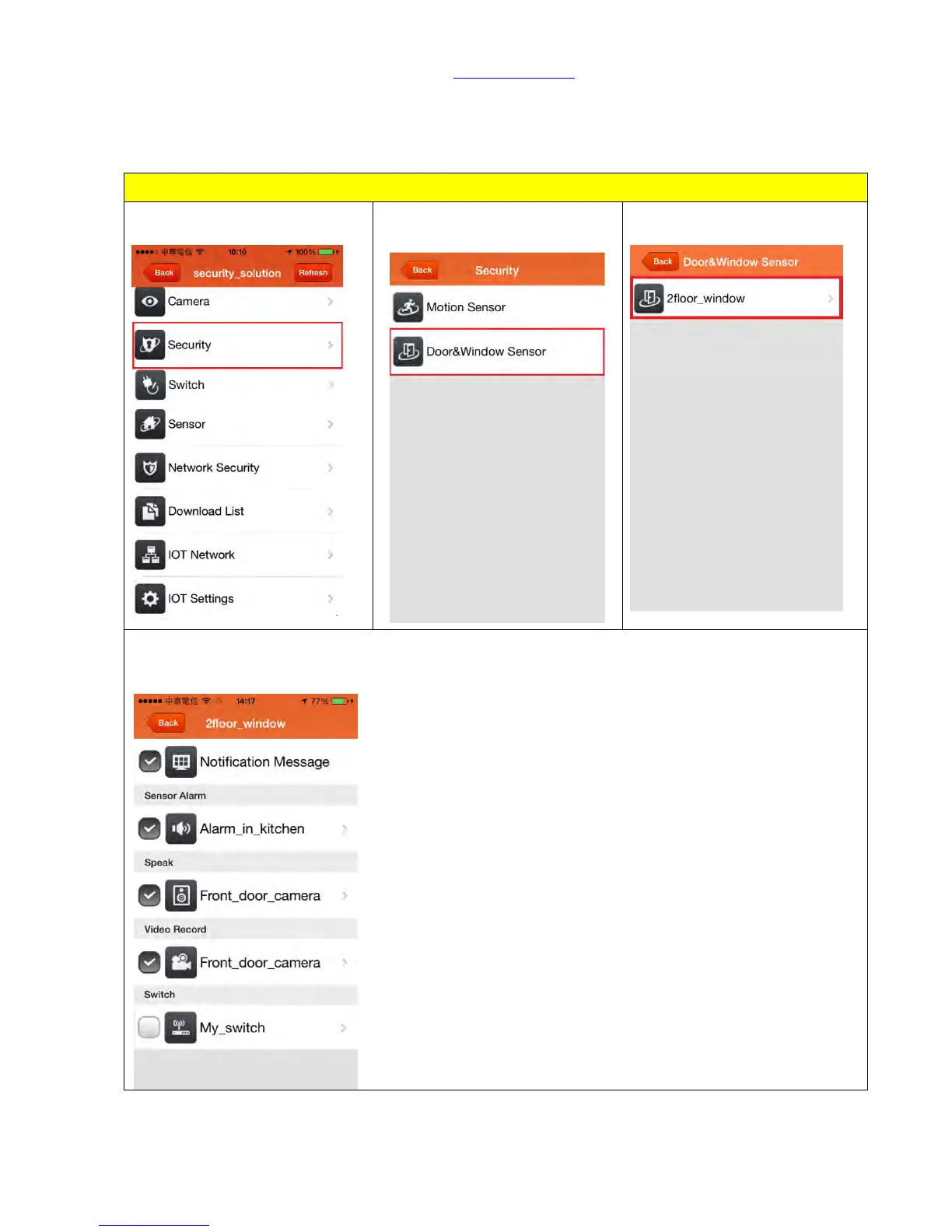
Door & Window Sensor has preinstalled the setting of “push notification” and “alert” already.
Once it detects abnormal situation, the alarm system will be activated.
Default of Door & Window Sensor
Step 2. Click <Door & Window
Sensor>.
Step 3. Select your specific Door
& Window Sensor.
Step 4. You can see the “Notification Message”, “Sensor Alerm”, “Speaker”, and “Video Record” are
selected already, means that WDG71n will send you a push notification and make alert at the same
time.



 To Next Page