Sapido Technology Inc. www.sapido.com.tw
53
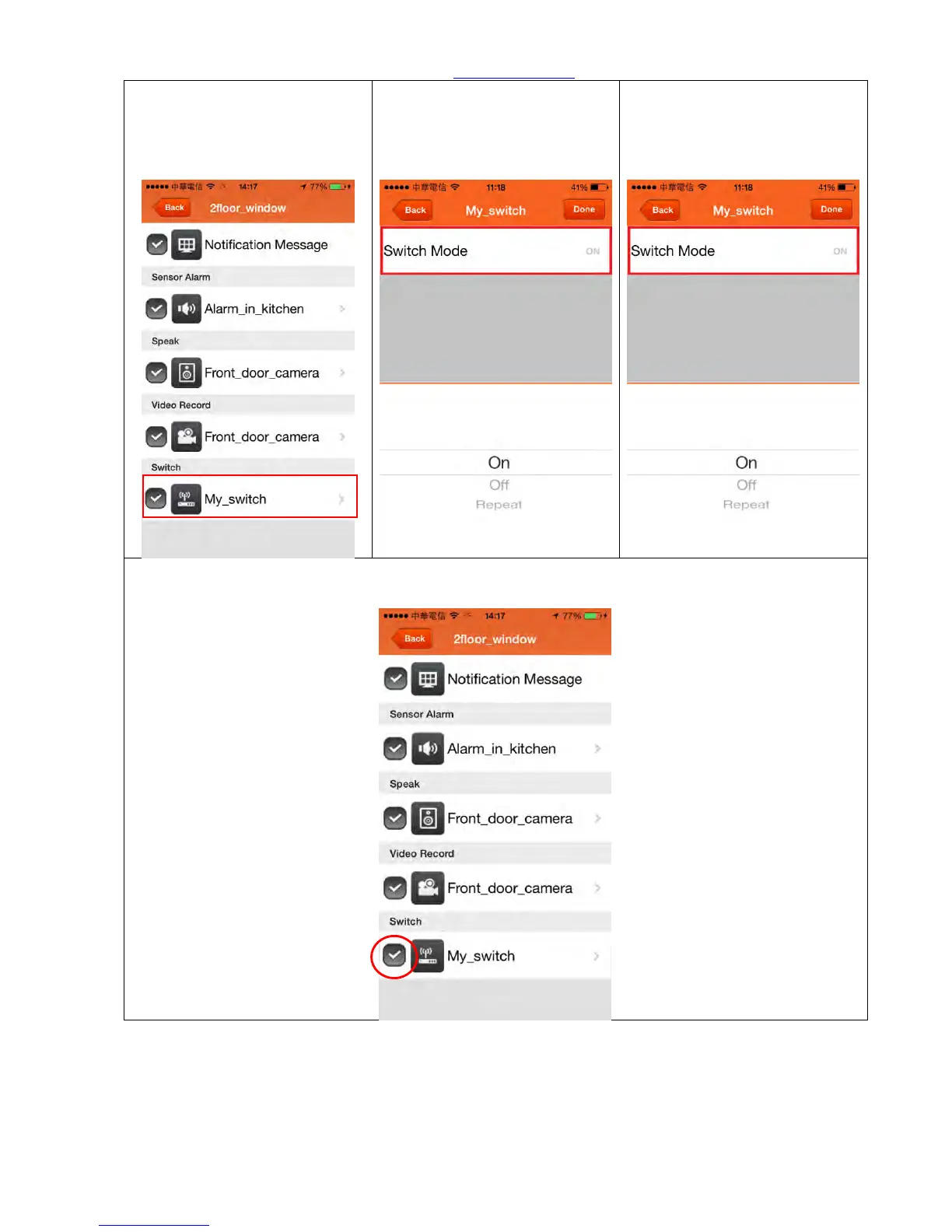
Step 5. If you want your lights
on while window is opened,
just select the Switch. (shown
in red frame)
Step 6. Select “Switch Mode”
Step 7. To face your needed,
you can choose ON, OFF, or
Repeat mode of your Switch.
Step 8. After click “Switch”, you will receive push notification and alarm will triggered when
window is opened. Also, 30 seconds recording and Switch will turn on at the same time.



 To Next Page