Sapido Technology Inc. www.sapido.com.tw
70
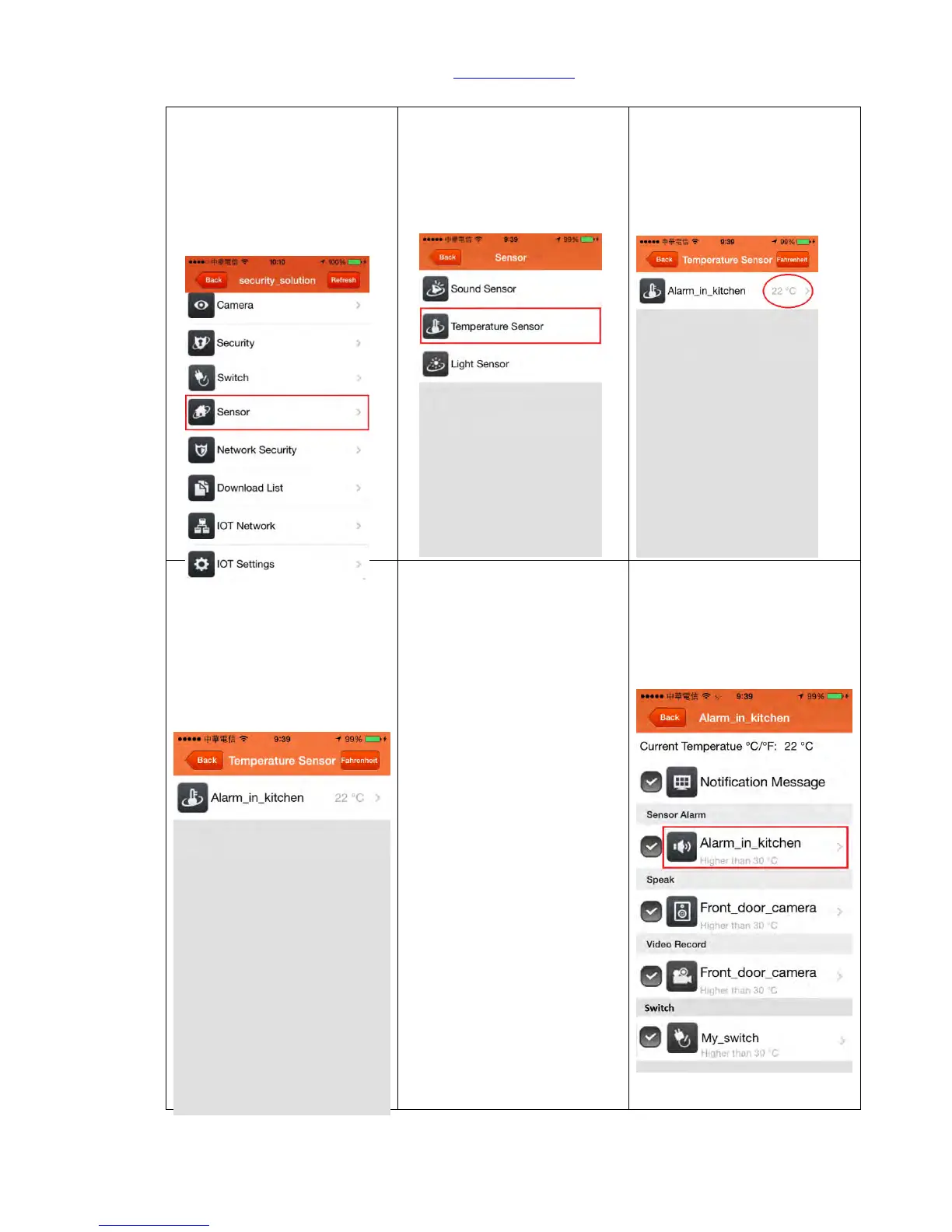
5.2 Temperature Sensor
Step1. Click <Sensor>, you
can set up your
predetermined temperature
level to activate the alarm
system.
Step2. Click <Temperature
Sensor>
Step3. The page of
Temperature Sensor will
show the current in room
temperature. The preinstall
measurement setting is
“Celsius”.
Step 4. Click the <Sensor
Device>
Step5. Select the
“Notification Message” and
“Sensor Alarm” options, you
will receive a push
notification on your phone
and the alarm will make
beeping sound when the
temperature is in an
abnormal situation.
Step 6. For setting up the
condition of the alarm trigger
by the limit of trigger
temperature, please click
Sirens Device (shown below in
red frame).



 To Next Page