Sapido Technology Inc. www.sapido.com.tw
81
6. Application of IP Camera
6.1. Surveillance Recording and Browse
6.1.1. Real-Time Recording
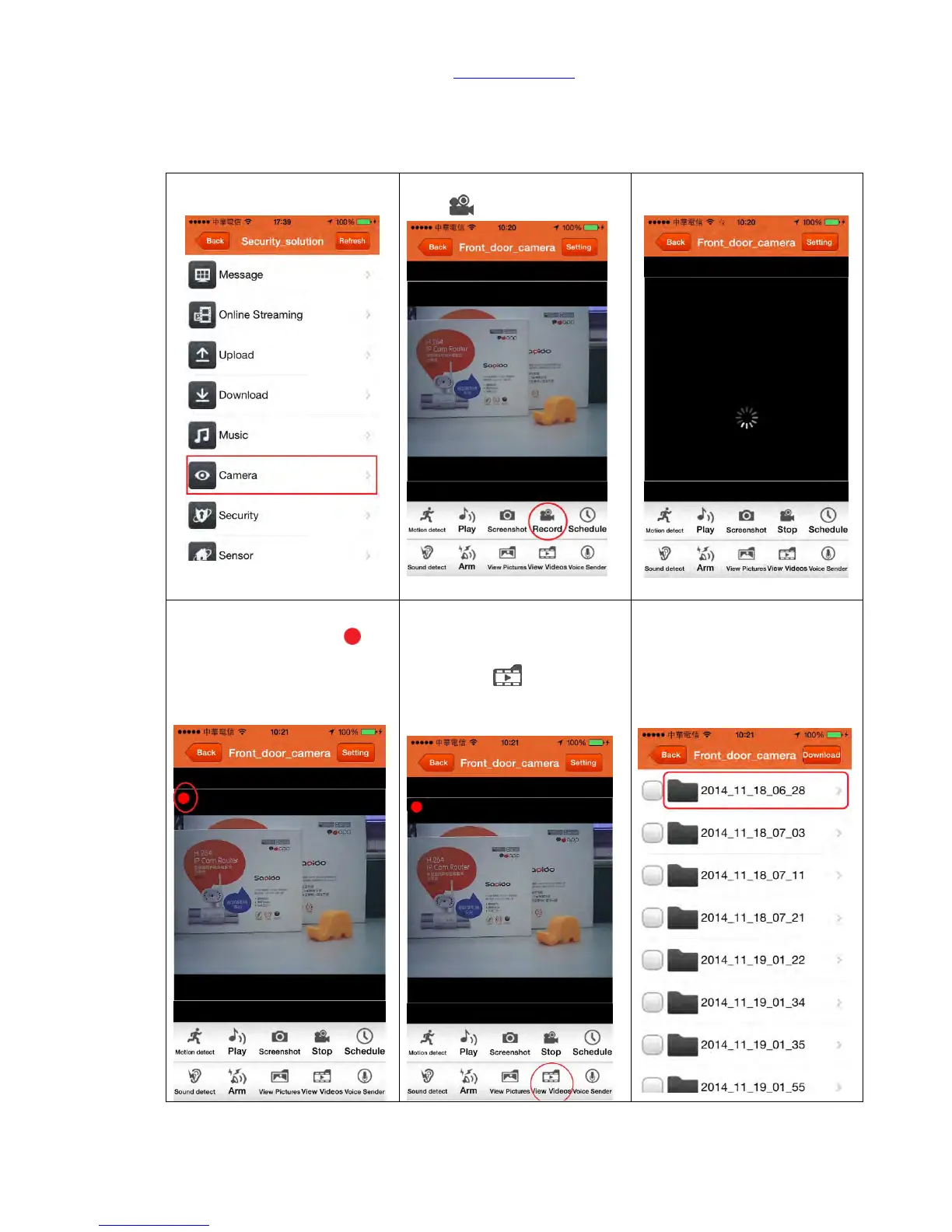
Step 2. Click the functional
key「 Record」
Step 3. Setting, please wait...
Step 4. When the recording
starts, you can find the red
pot on the top left corner.
Step 5. Video will be
automatically stored in the
USB drive of IP camera;
please go「 View
Videos」for video browse.
Step 6. Videos will be sorted
by date and time, please
directly choose the video you
want to view.



 To Next Page