Sapido Technology Inc. www.sapido.com.tw
82
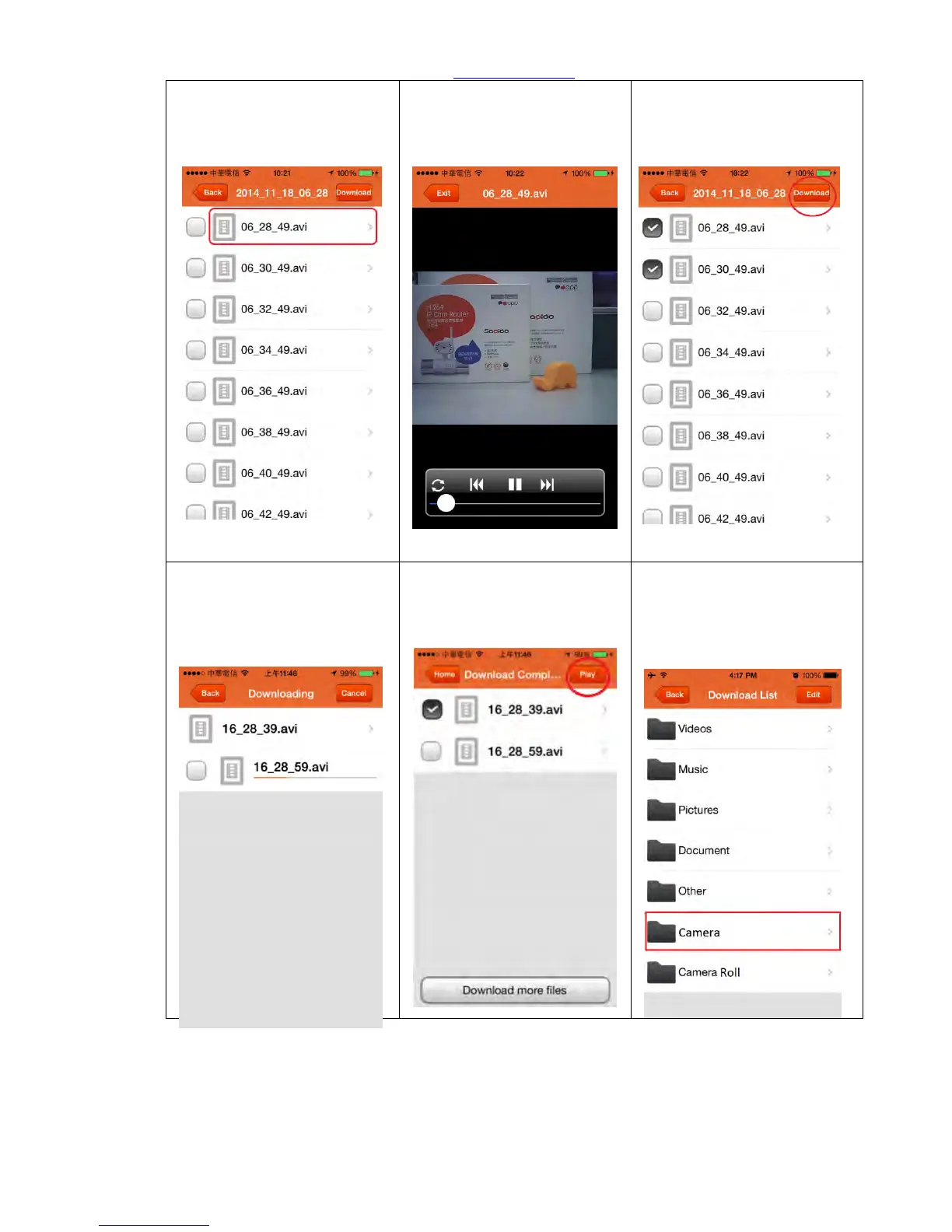
Step 7. Select the video for
immediate play.
Step 8. Click “Exit” when
finished, and goes back to
the last page. (Rotating the
device to enlarge for browse)
Step 9. Click “Download” if
you want to back up the files
to your smartphone or other
devices.
Step 10. Video
Downloading…
Step 11. Once download
successfully and then you can
play it.
Step 12. Downloaded files
will be directly stored in
“Camera” of “Download
List”.



 To Next Page