Sapido Technology Inc. www.sapido.com.tw
66
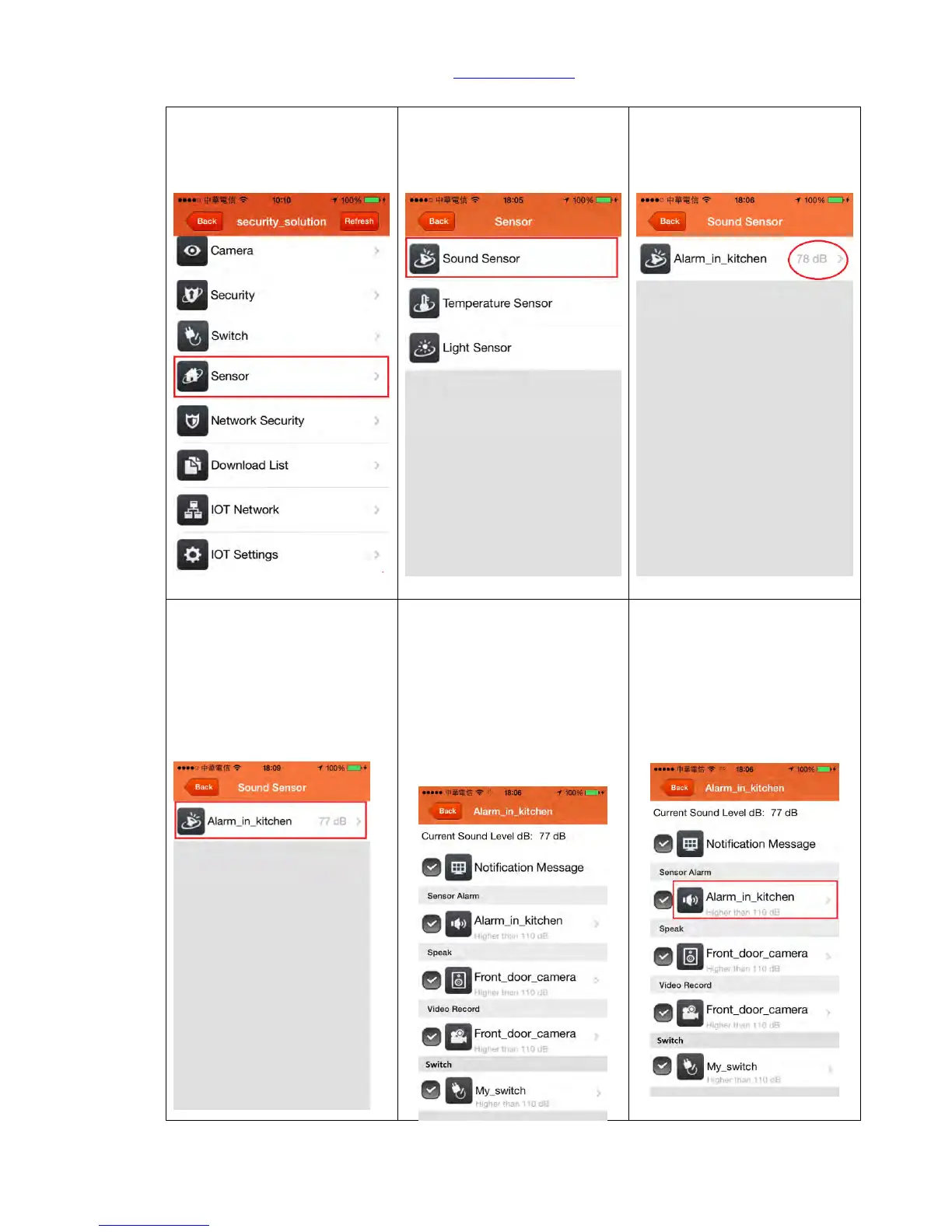
5.1 Sound Sensor
Step 1. You can adjust the
alarm sound level based on
the level of Decibels (dB) in
<Sensor> section.
Step 2. Click <Sound Sensor>
Step 3. Current alarm
detected volume (dB) level
will show on the right of the
Sound Sensor page.
Step 4. Please click <Warning
Device>
Step 5. When it detects the
abnormal sound in the space,
you will receive an alert
message on your phone.
Meanwhile, the alarm system
will activate. Please choose
<Notification Message> and
<Sensor Alarm>
Step 6. For setting up the
condition of the alarm trigger,
please click Sensor Alarm
Device (shown below in red
frame).



 To Next Page