Sapido Technology Inc. www.sapido.com.tw
40
2.2 Both Wi-Fi & Wired Connection for APP Installation
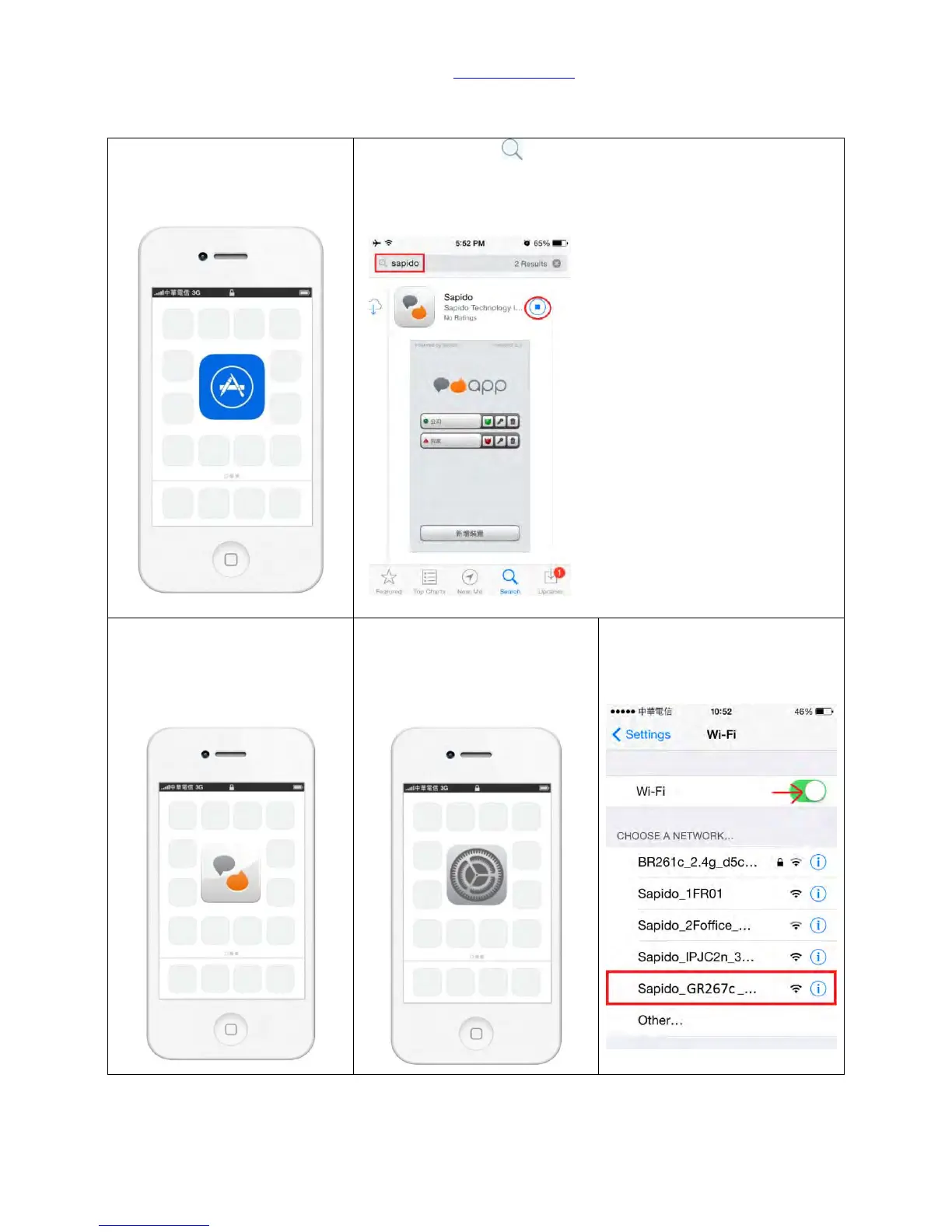
Step 1. Please go to APP Store
to download Sapido APP.
Step 2. Please click and search by the key word <Sapido>.
Click <Free> → <Install>.
Step 3. After installing Sapido
APP, it will create a shortcut
automatically on the main
page of your iPhone.
Step 4. Please open the
<Settings> function on your
iPhone.
Step 5. Please turn on and
search for WiFi network from
the Home Gateway (GR267c).



 To Next Page