Sapido Technology Inc. www.sapido.com.tw
116
9.1.2 ZigBee Door & Window Sensor (DDLA0z)
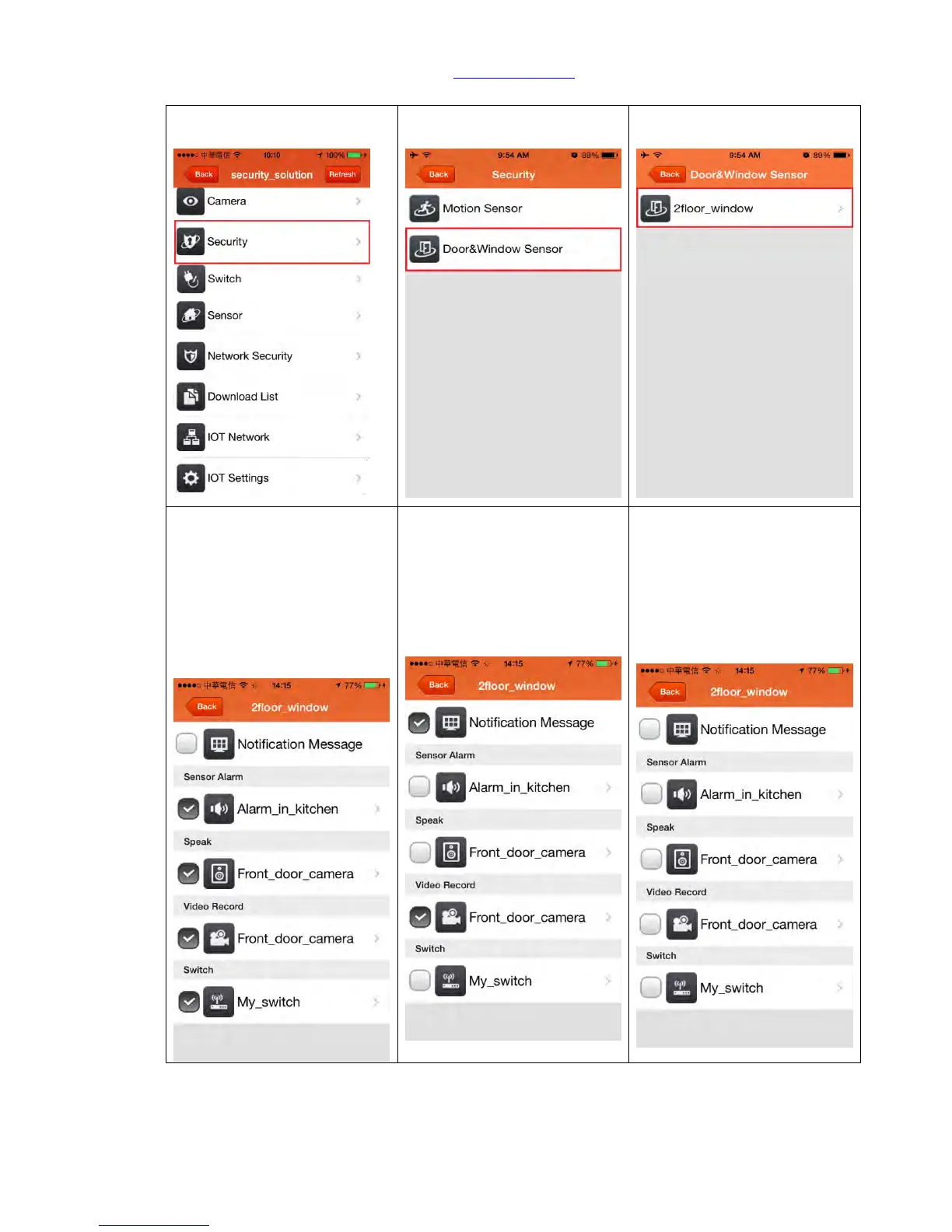
Step 2. Click <Door & Window
Sensor>
Step 3. Enter the alarm system
to the setting page.
Step 4. Cancel the
<Notification Message>: Once
detected the door is opened,
you will not receive the push
notification but alarm keeps
working.
Step 5. Cancel the <Sensor
Alarm>: Once detected the
door is opened, alarm will not
make the beeping sound but
you will receive the push
notification.
Step 6. Cancel all the function.
Once detected the door is
opened, you will not receive any
message notification and the
alarm will not make the sound
either.



 To Next Page