Sapido Technology Inc. www.sapido.com.tw
10
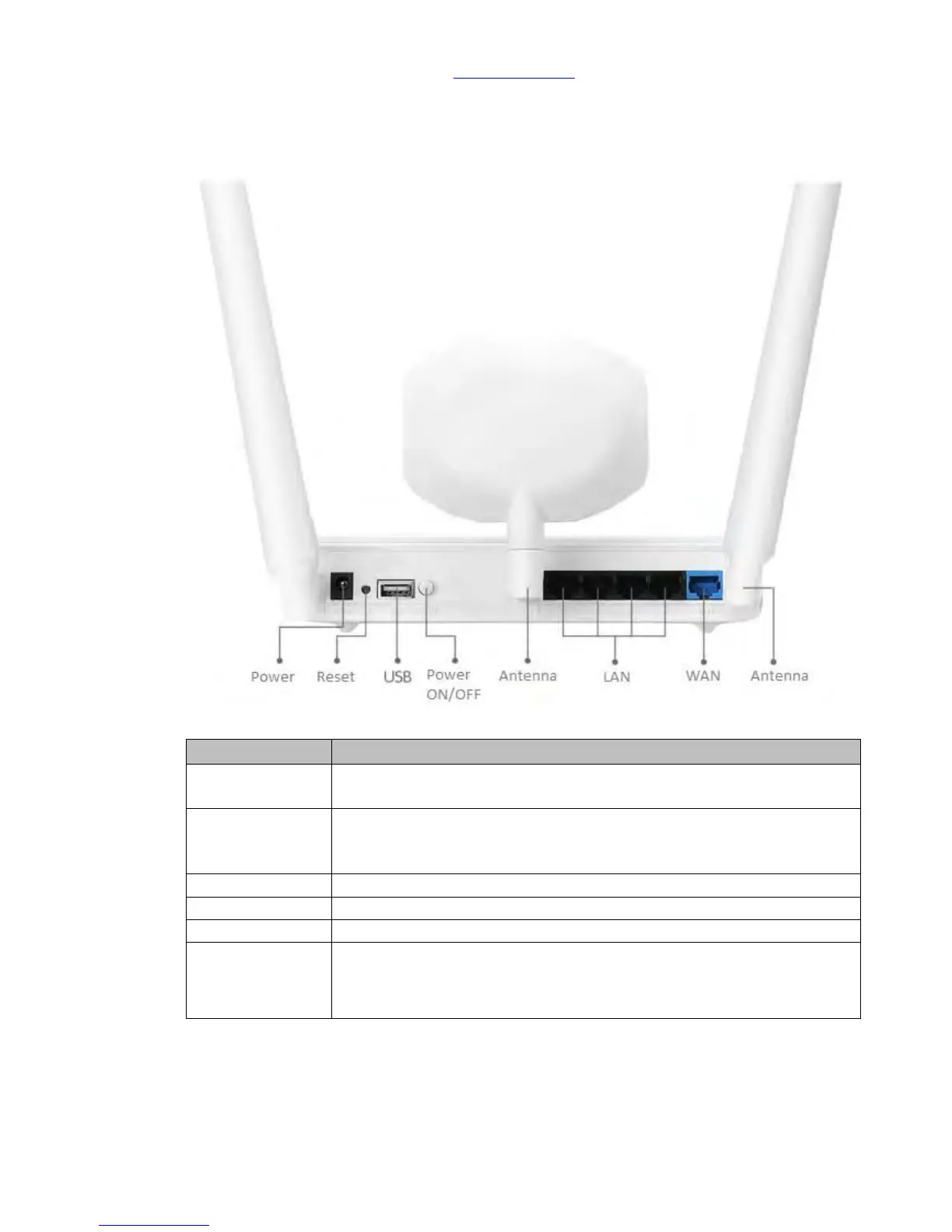
1.2 Hardware Instruction
(2) 11AC Home Gateway(GR267c)
Connect to xDSL/Fiber, Static IP, Dynamic IP, PPTP, L2TP, Wi-Fi ISP AP,
WiFi-AP
* Connecting to on-line equipment, such as personal PC, web-cam,
printer server, etc.
* If more LAN ports are needed, please apply Switch/Hub for extension
Transformer Connected (In-Package)
* Press over 10 seconds to factory default settings(like your Wi-Fi
password)
* Press about 3 seconds, the device will be rebooted



 To Next Page