Sapido Technology Inc. www.sapido.com.tw
131
11. Network Security
11.1 Network Security – Network security setup and internet device control
Parents can review the website history to monitor, and control children on-line time and
website, and enable to remote log in to check and see internet attack status.
11.1.1 Client List
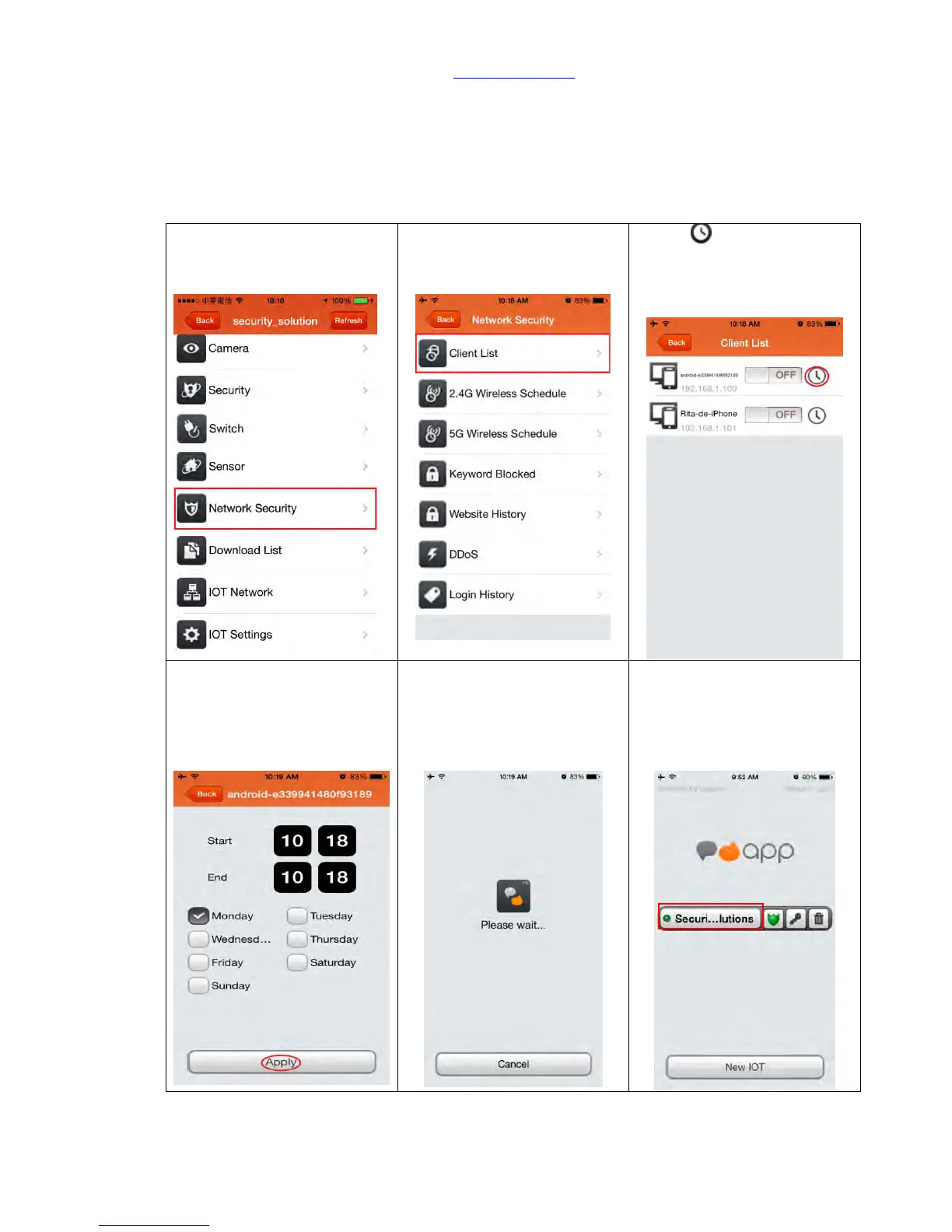
Step 1. Click “Network
Security”
Step 2. Click “Client List”
Step 3. is to set up the
internet block time, and
make it block during a
period.
Step 4. Select the start and
end time of block (in 24-hour
time system), and then select
“weekday” and click “Apply”
to save.
Step 5. Setting, please await.
Step 6. After setting, APP will
automatically log out and
return to the home page.
Please log in again.



 To Next Page