Sapido Technology Inc. www.sapido.com.tw
110
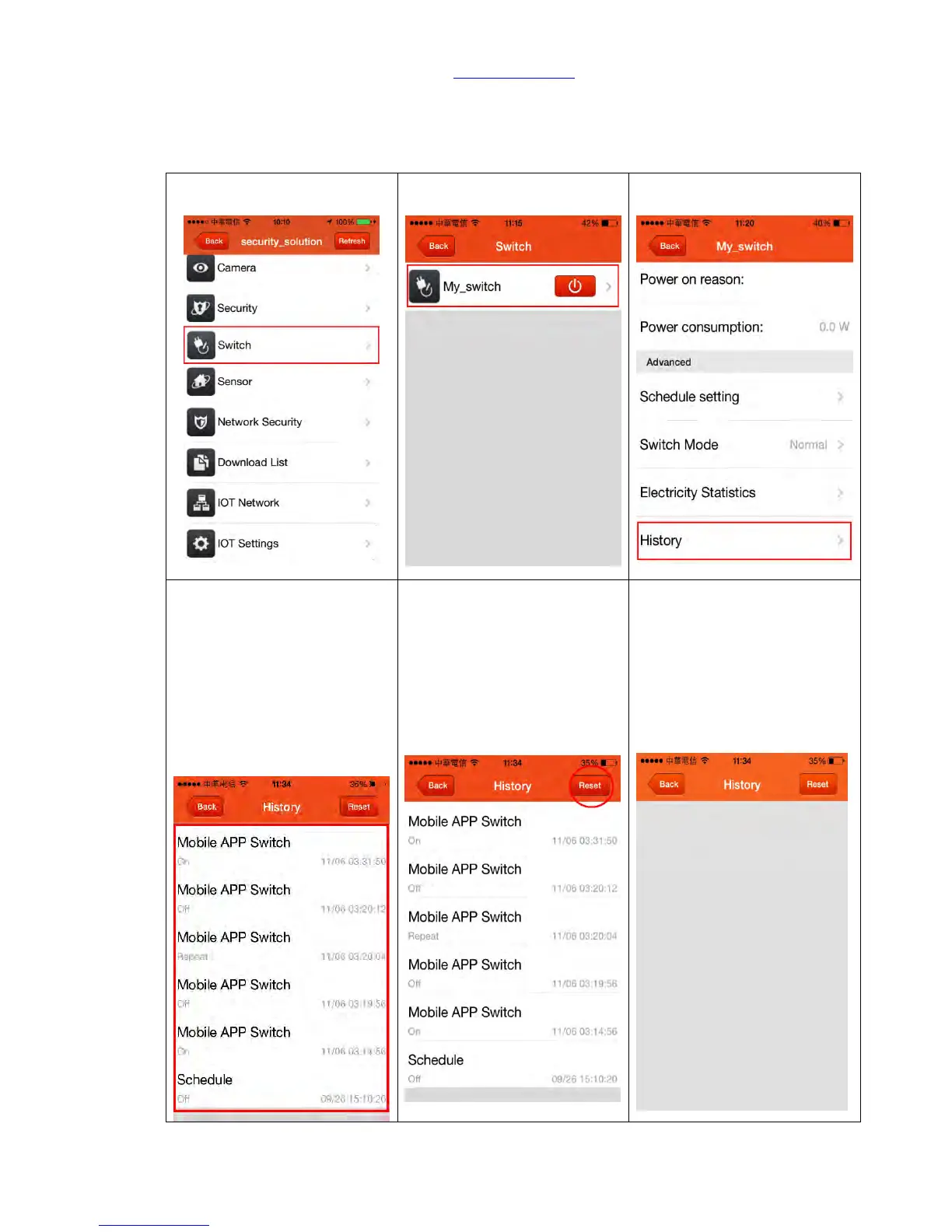
7.1.4 History
You can view the history record of your electric appliances power on/off and working schedule like
below:
Step 4. History record of your
electric appliances power on/off
Cloud Switch Schedule: Use
schedule set-up to turn on/off
power
Mobile APP Switch: Use mobile
APP to turn on/off power
Button: Press Button on the
Smart Switch to turn on/off
power



 To Next Page