Sapido Technology Inc. www.sapido.com.tw
152
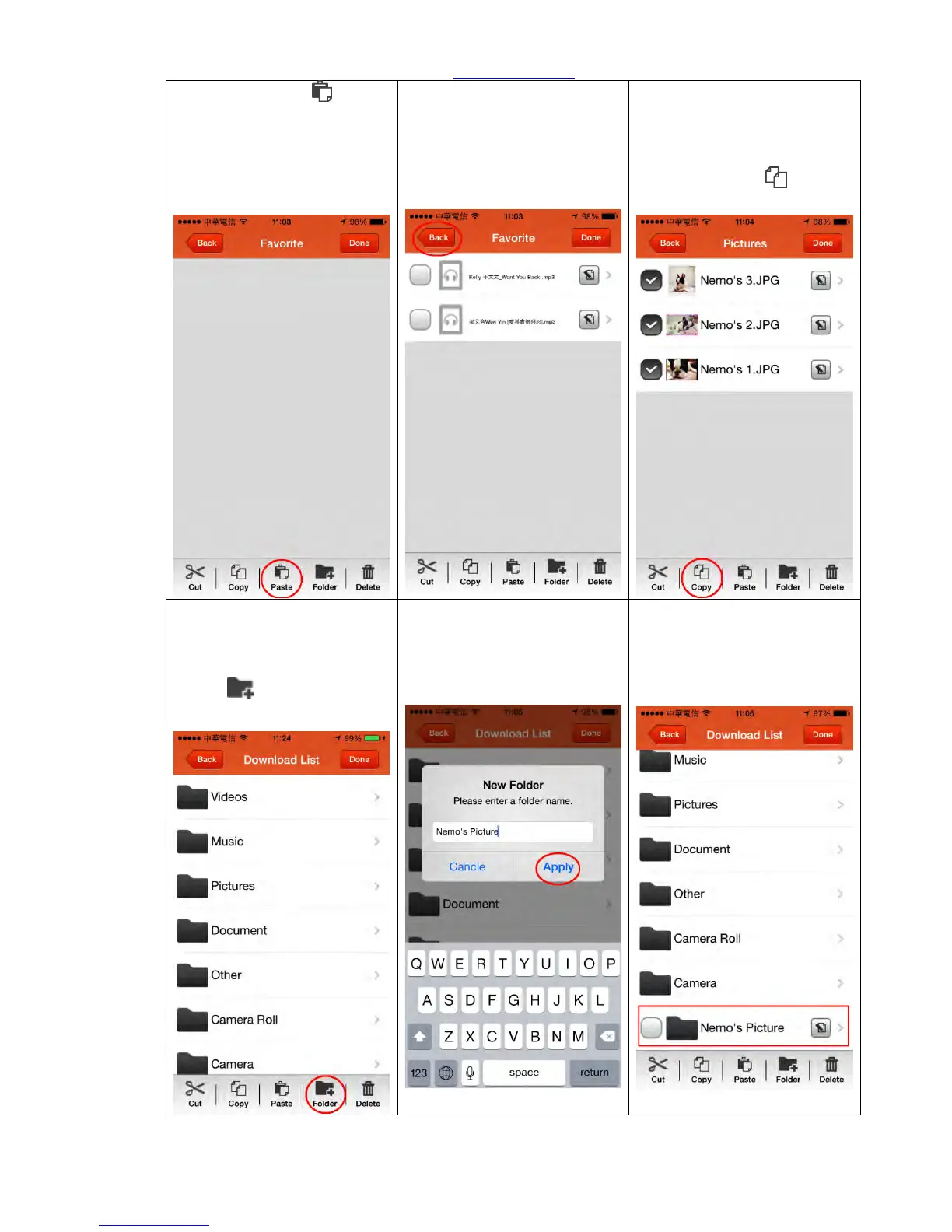
Step 7. Click “Paste ” to
paste the music file cut in
Step 3 to complete file
management and edit.
Step 8. Congratulation! Music
file has been moved to
“Favorite” folder
(Click “Done” to end the edit,
or click “Back” to continue
other file edit)
Step 9. Return to the
previous page and continue
other edit. Please select the
file you want to copy, and
click below “Copy ”
Step 10. Copy the selected
file to any folder of
Download List or click
“Folder ” to add new
folder.
Step 11. Enter the name of
new folder, and click “Apply”
to confirm.
Step 12. Select the new
added folder.



 To Next Page