Sapido Technology Inc. www.sapido.com.tw
153
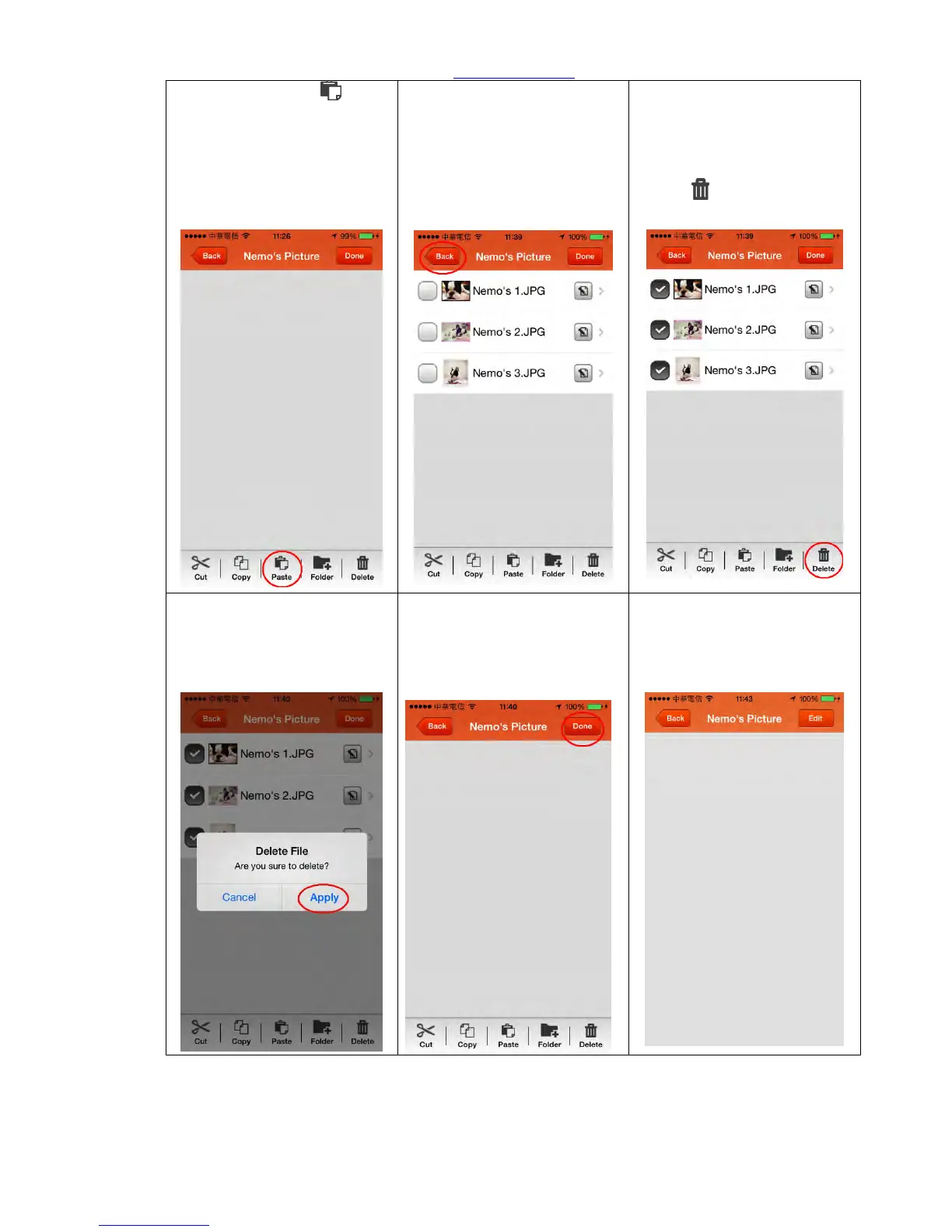
Step 13. Click “Paste ” in
below function key and paste
the photo file copied in Step
9 to the folder.
Step 14. The copied photo
file has been stored in the
new folder.
(You can click “Done” to end
the edit, or click “Back” to
continue other file edit.)
Step 15. Return to the
previous page to continue
other file edit. Select the files
you want to delete, and click
“Delete ”in below function
key.
Step 16. Again confirm
whether to delete the file or
not; click “Apply” to confirm
the delete.
Step 17. File delete
succeeded. To end the edit,
click “Done” on the top right
corner.
Step 18. Edit mode is end.



 To Next Page