EasyManua.ls Logo

Sapido SH106+ - Page 112

Default Icon
174 pages
Print Icon
To Next Page IconTo Next Page
To Previous Page IconTo Previous Page
Loading...
Sapido Technology Inc. www.sapido.com.tw
112
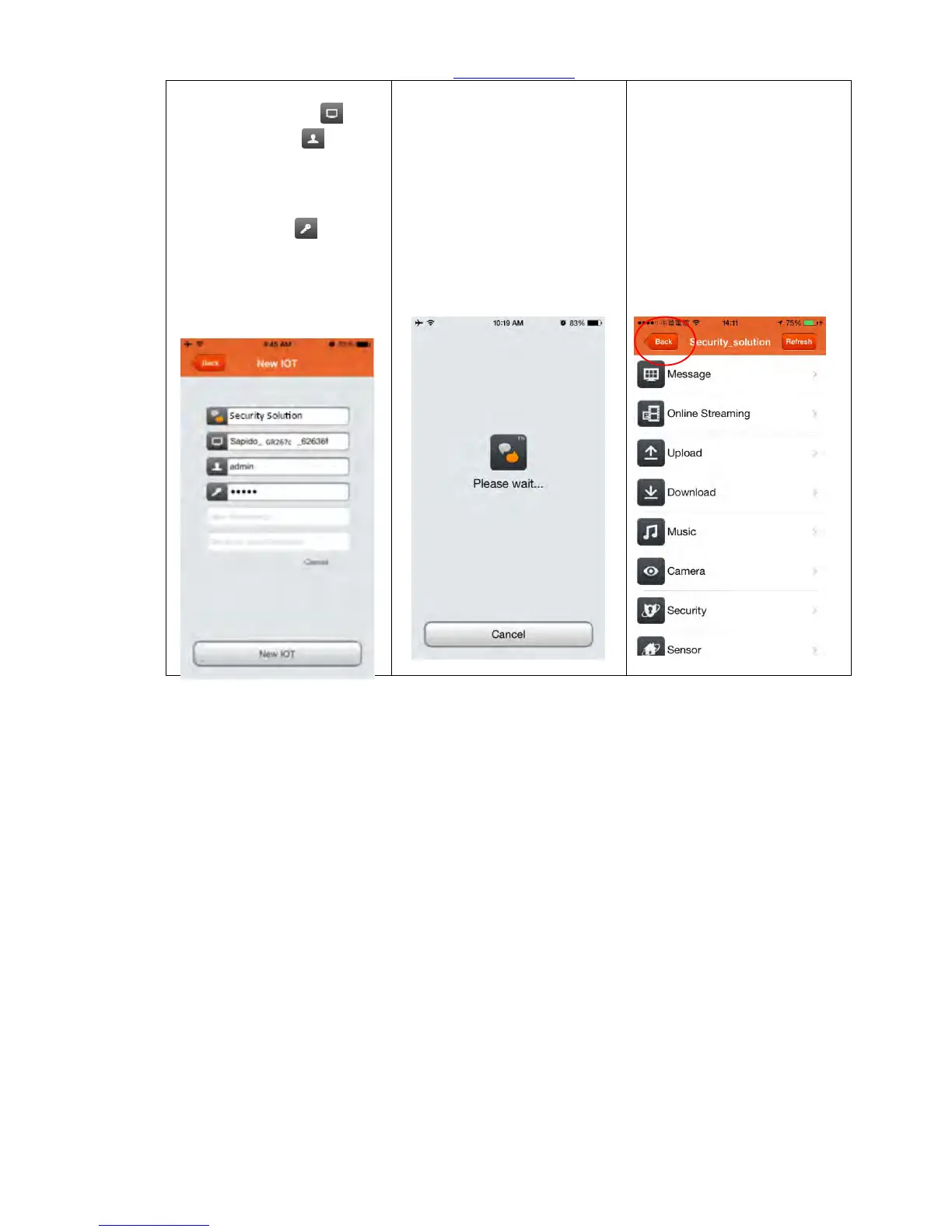
Step 7. APP will
automatically show
device name and user
name, please type in the
password provided by
network family
administrator in column,
and click “New IOT” to log
in.
Step 8. Connecting, please
await…
Step 9. Once log-in is
success, handheld device
could access the security
system (see below picture).
The device can control the
security system and receive
push notification anytime
and everywhere once it is
connected to internet. Click
“Back” and return to home
page

Table of Contents