Sapido Technology Inc. www.sapido.com.tw
14
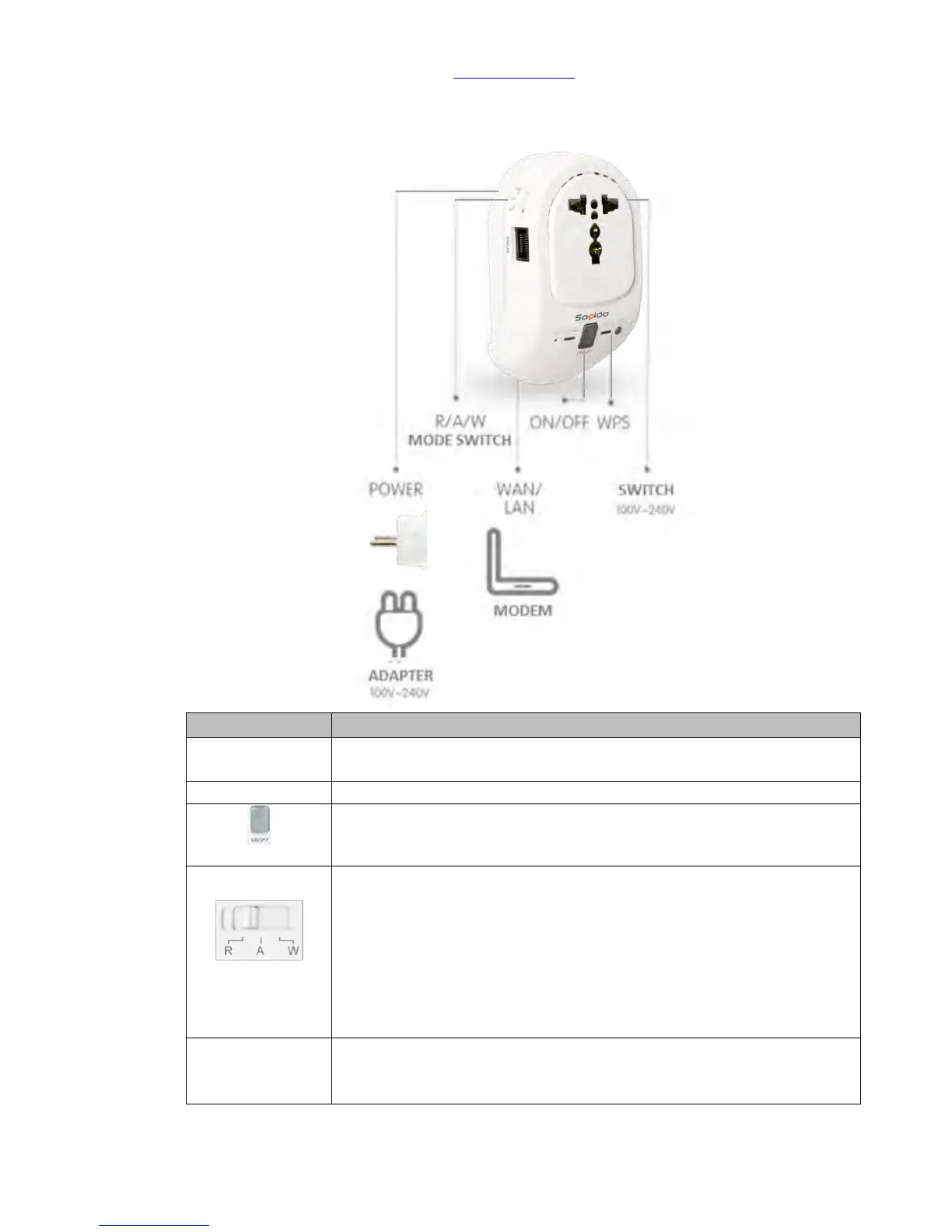
(5) Smart Cloud Control Insight Switch Wireless Router(WSG70n)
Connect to xDSL/Fiber, Static IP, Dynamic IP, PPTP, L2TP, Wi-Fi ISP AP,
WiFi-AP
Please switch to the R mode while the RJ45 cable is connecting to the
xDSL modem and WSG70n
Please switch to A mode while RJ45 cable is connecting to Sapido
router and WSG70n.
Please switch to the W mode while connecting to Wi-Fi network by
Sapido router.
Please switch to the R mode while connecting to the network by
other brand routers.
* Press over 10 seconds to factory default settings(like your Wi-Fi
password)
* Press about 3 seconds, the device will be rebooted



 To Next Page