Sapido Technology Inc. www.sapido.com.tw
156
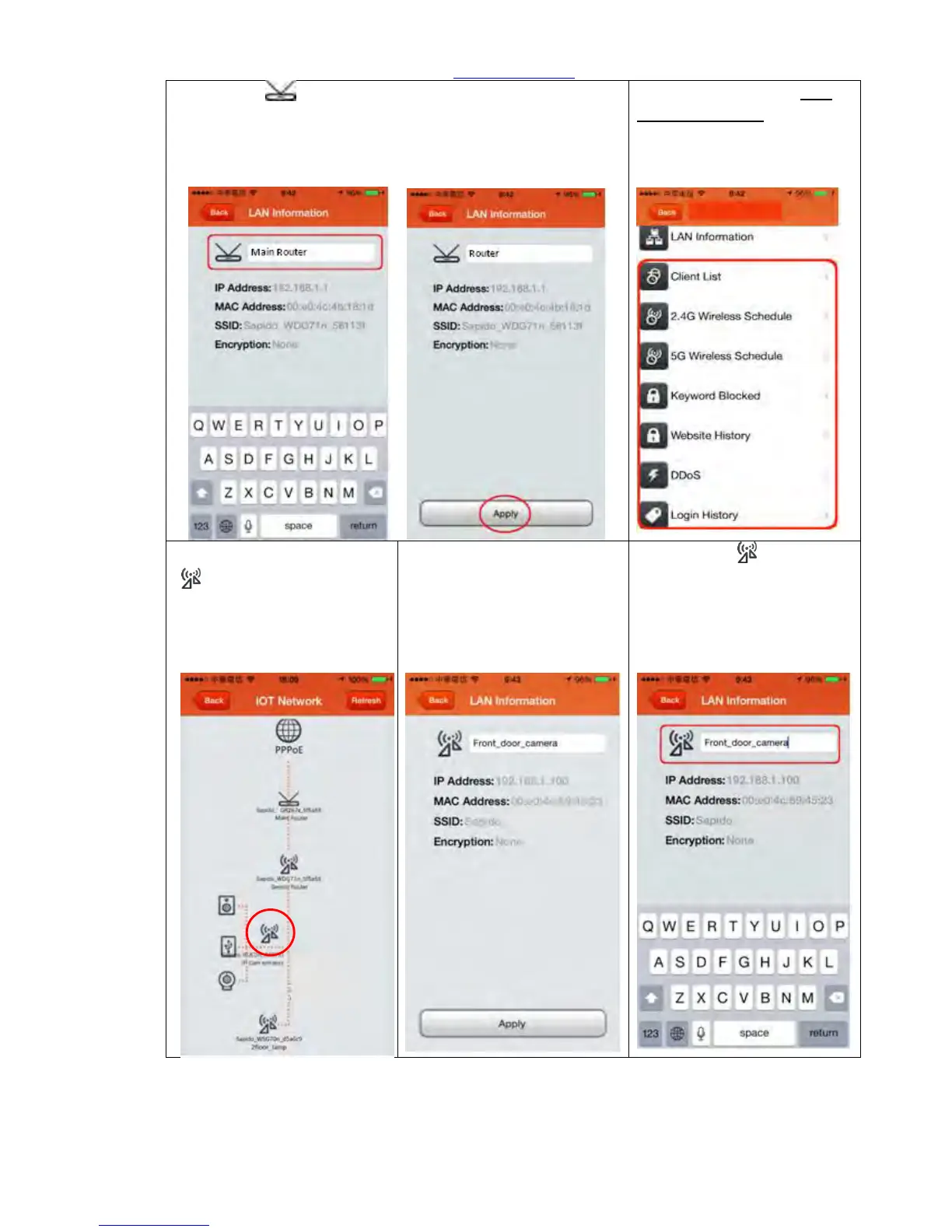
Step 7. Click to rename the Home Gateway (GR267c),
and click “Apply” to confirm. Click “Back” and return to the
Network Security page.
Step 8. Please refer to 11.1
Network Security for detail
function. Click “Back” and
return to IOT Network.
Step 9. Click IP Cam (IPJC2n)
“ ”
Step 10. You can see IP
address, MAC address, SSID
and Encryption mode here.
Step 11. Click to rename
the IP Cam (IPJC2n), and click
“Apply” to confirm. Click
“Back” and return to the
Network Security page.



 To Next Page