Sapido Technology Inc. www.sapido.com.tw
165
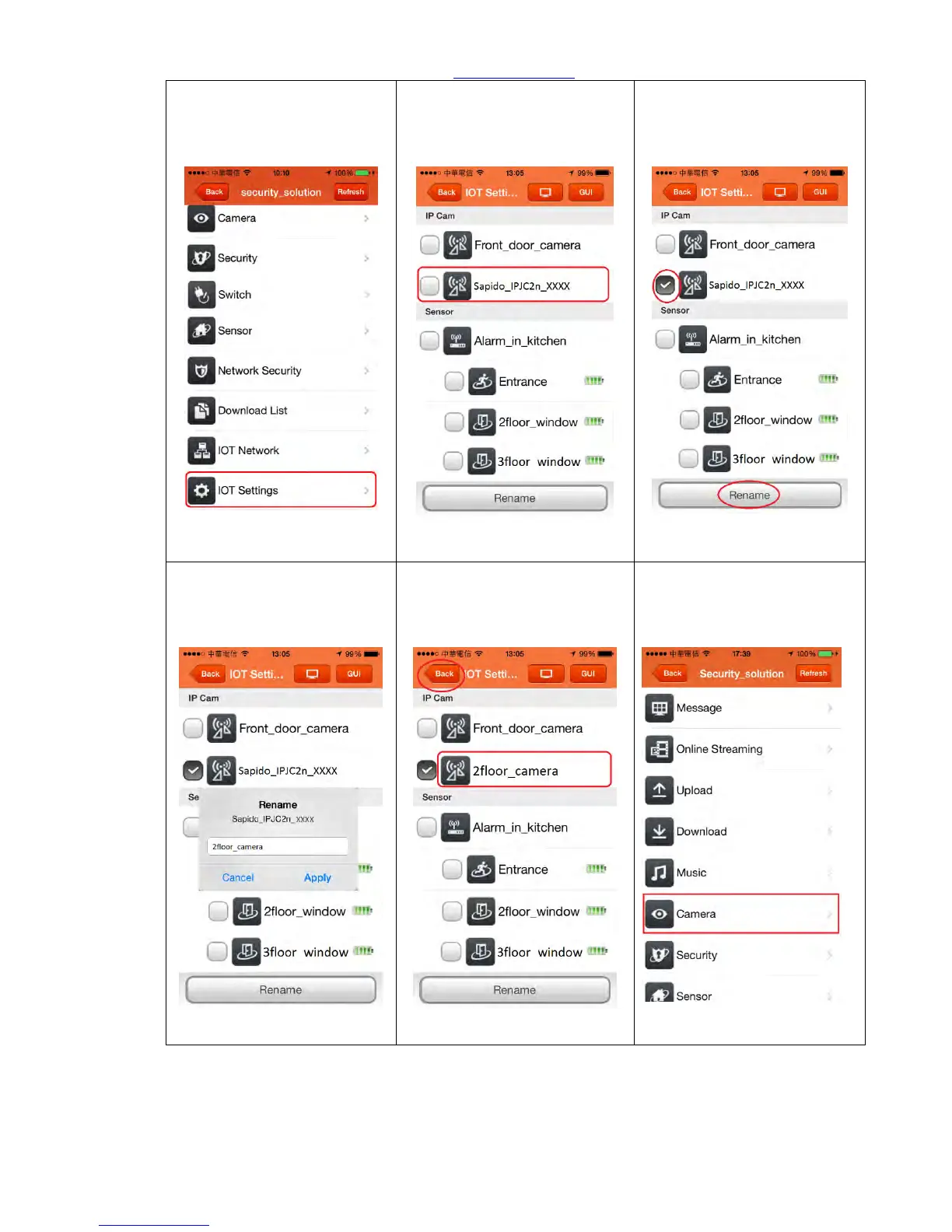
Step 3. Enter Sapido APP then
log in your security network
then click <IOT Settings>
Step 4. You can see the new
IPJC2n device is already under
the list, it means it is added in
your network.
Step 5. Select IPJC2n, then
click <Rename>
Step 6. Enter the new name
and click <Apply>, then
complete rename the new
IPJC2n device.
Step7. Complete IPJC2n setting
with new name
Step8. Go back to the home
page and click <Camera> for
real-time monitoring from
your phone.



 To Next Page