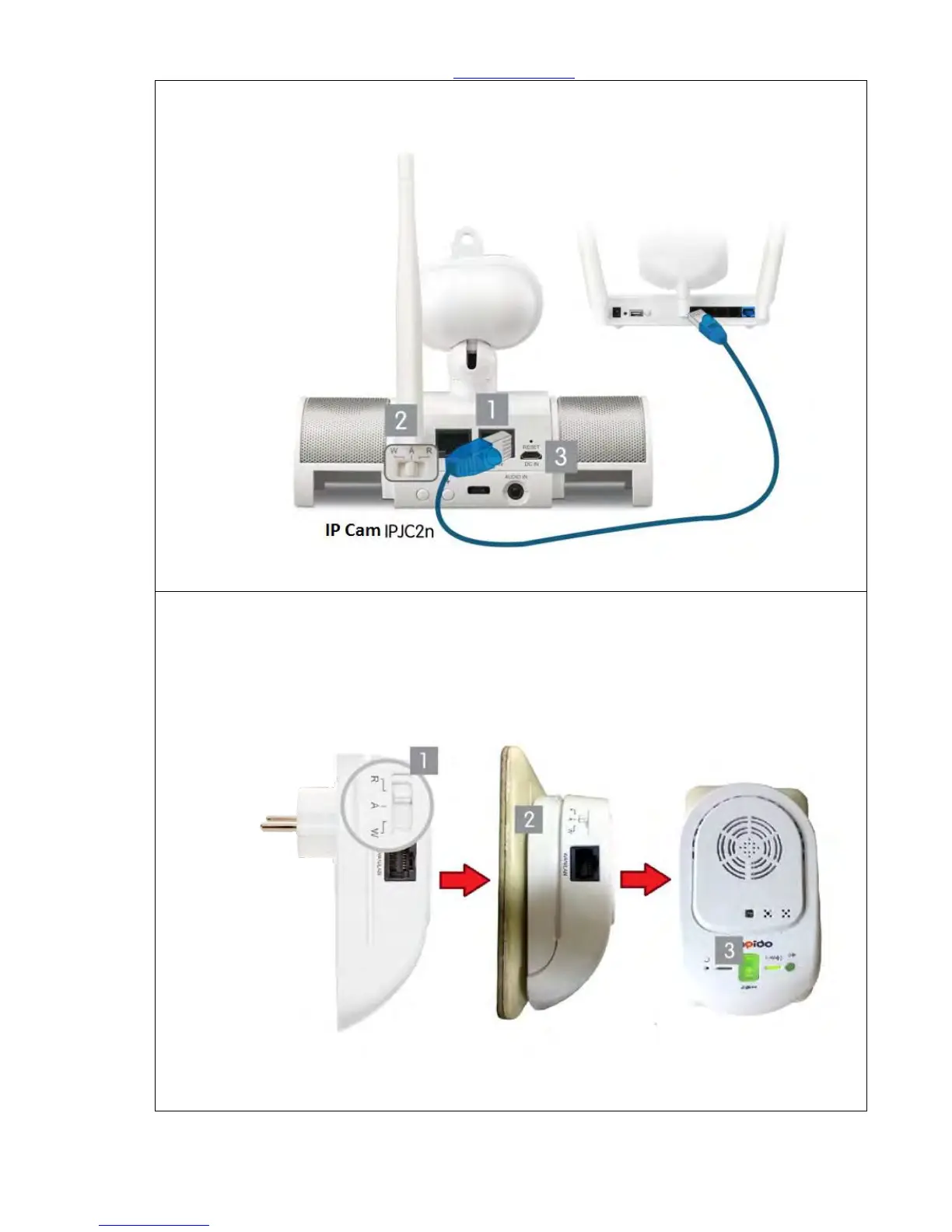
Step 5. Get an Ethernet cable and connect to both Home Gateway LAN port and IPJC2n anyone
port. Shown the picture below:
Step 6.Please switch to W mode on the lateral side of Alarm (WDG71n), then plug on the power
outlet. WDG71n is starting up when the WAN/LAN indicator turning red. The system is
completely turn on when ZigBee light and all LED lights turn green after 30 seconds. The alarm
(WDG71n) can not only deter the intruders by alert sound, but also warn the owner about any
unusual circumstances are happening. For example, the door and window to which are
attached Cloud Door & Window Sensors were opened by intruders, or the Cloud Motion Sensor
detected intruders.



 To Next Page