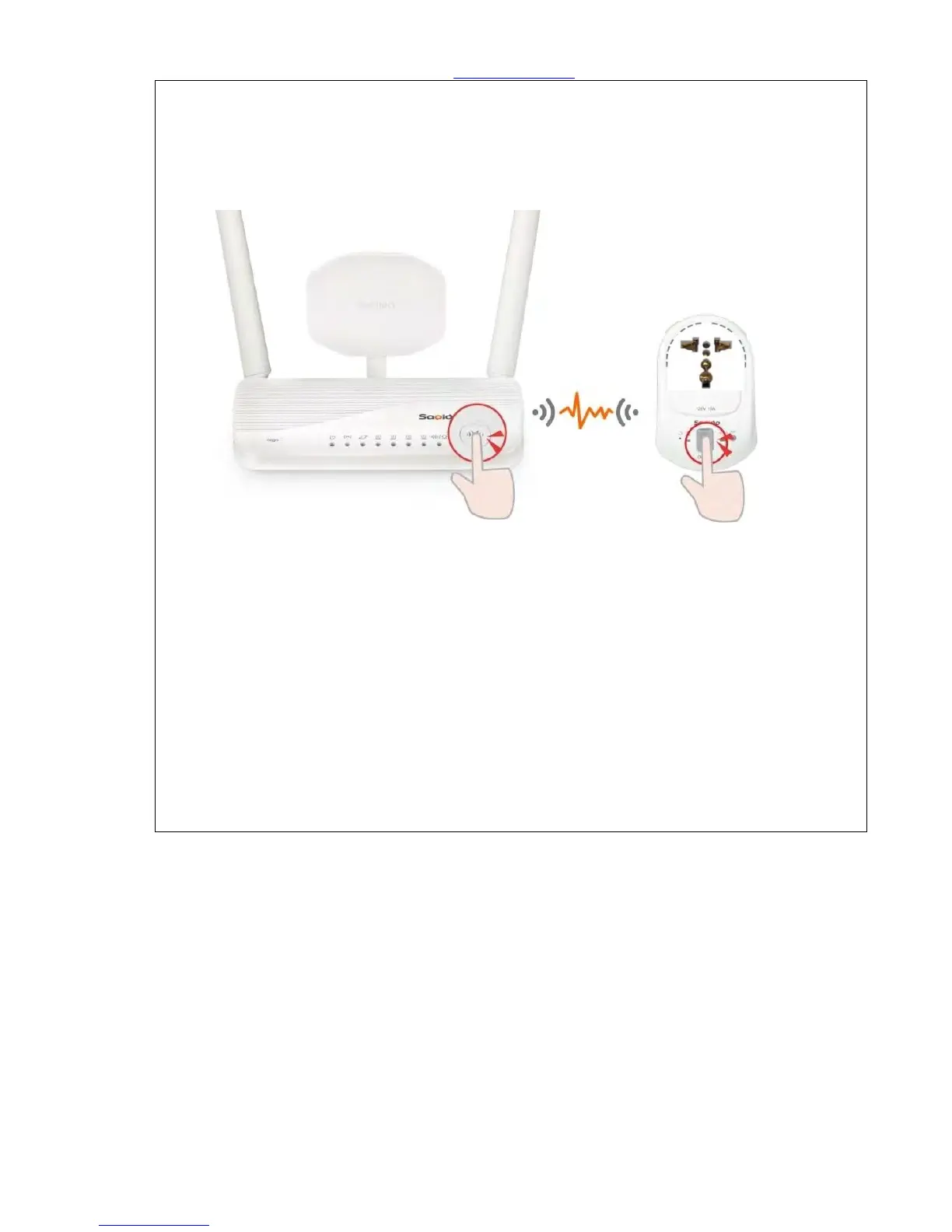
Step 17. There are three ways to make WiFi connection with Smart Switch (WSG70n) based on
distance:
(4) Get started to make the WPS wireless (Wi-Fi) connection of Home Gateway(GR267c) and
Smart Switch (WSG70n) if they are closer: Please press the WPS button on both Home
Gateway (GR267c) and Smart Switch (WSG70n) separately. When both of the lights stop
blinking, it means the connection is completed.
(5) Get started to make the WPS wireless (Wi-Fi) connection of Security Alarm (WDG71n) and
Smart Switch (WSG70n) if they are closer: Please press the WPS button on both Security
Alarm (WDG71n) and WSG70n separately. When both of the lights stop blinking, it means
the connection is completed.
(6) Get started to make the WPS wireless (Wi-Fi) connection of IP Cam (IPJC2n) and Smart
Switch (WSG70n) if they are closer: Please press the WPS button on both Smart Switch
(WSG70n) and IPJC2n separately. When both of the lights stop blinking, it means the
connection is completed.



 To Next Page