Sapido Technology Inc. www.sapido.com.tw
36
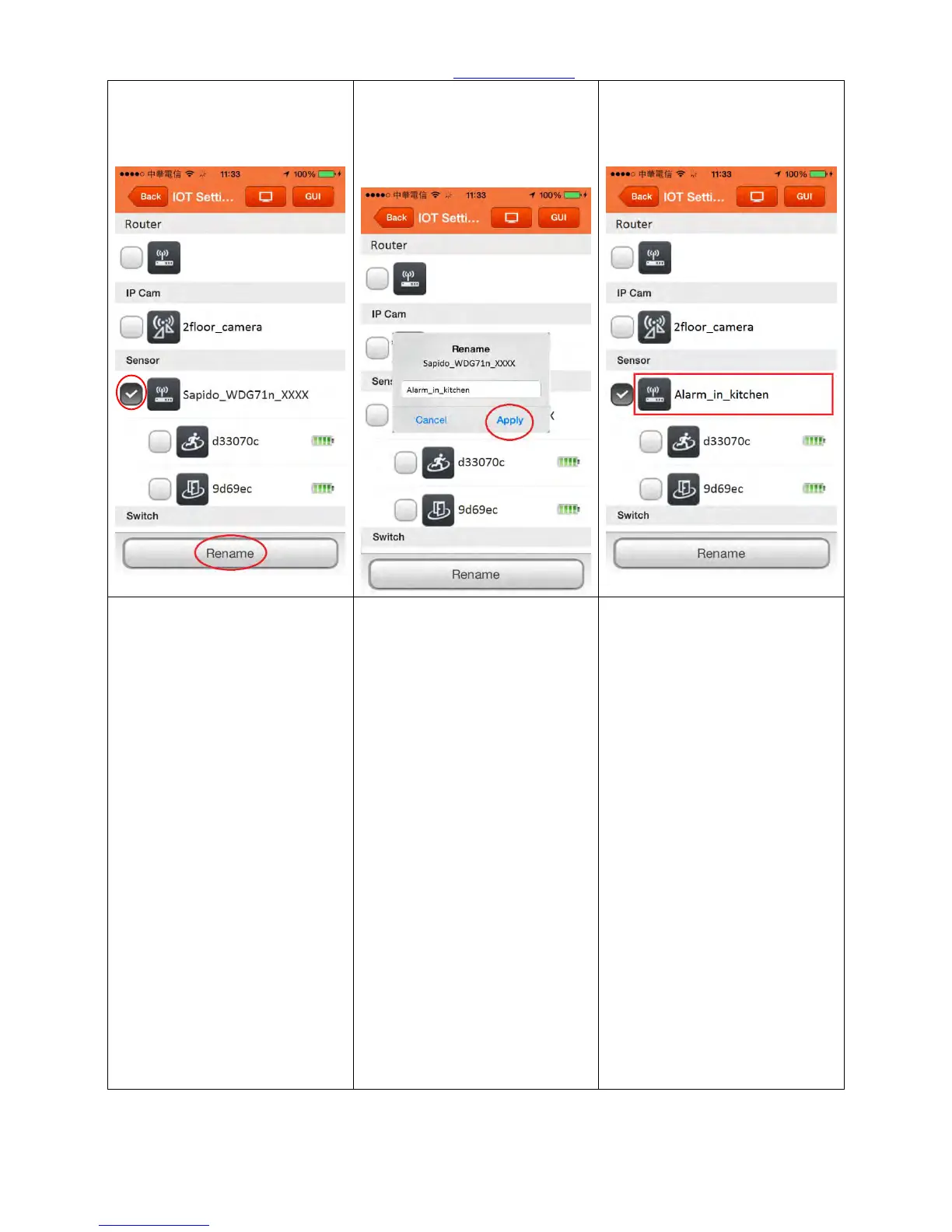
Step 19. Please select the
Security Alarm router
(WDG71n) first, then click
<Rename>
Step 20. After entering the new
name, please click <Apply>,
then it will show the new
name.
Step 21. The alarm (WDG71n)
had been changed to the new
name.
Step 22. To rename the Cloud
Door & Window Sensor:
Choose the Cloud Motion
Sensor (MDKA0z_xxx) in IOT
Setting first, then click
<Rename>.
Step 23. After entering the new
name, please click <Apply>,
then it will show the new
name.
Step 24. The Cloud Motion
Sensor (MDKA0z_xxx) had
been changed to the new
name.



 To Next Page