Sapido Technology Inc. www.sapido.com.tw
56
The 2
nd
method to turn off the alarm
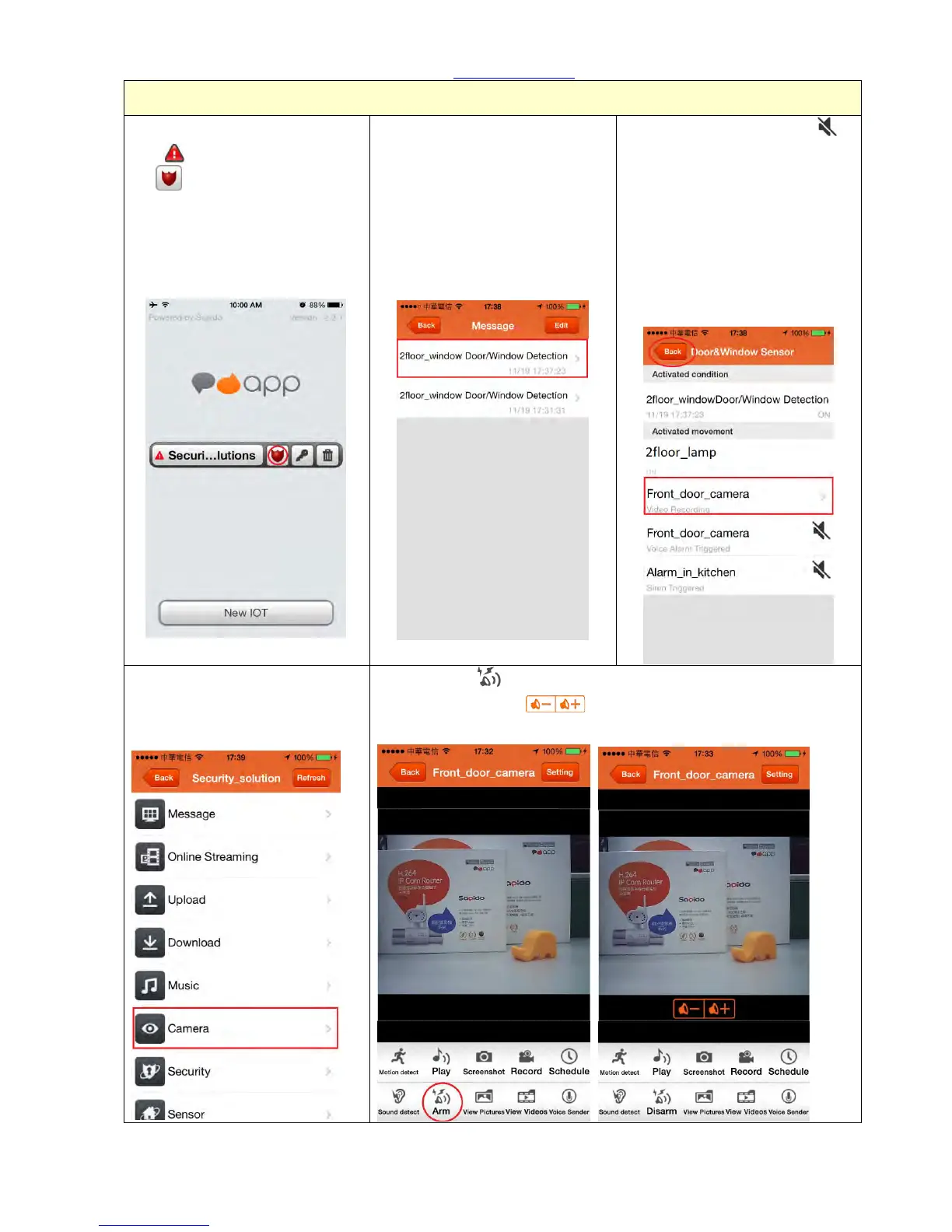
Step 1. You will see the event
alert , and the shield will turn
red .
Step 2. The event list is sorted by
date and time. You can turn off
the alert when you re-enter the
“event” again to view the page
with more detail.
Step 3. Click the silence sign
to mute the alarm and click
Record Video to view the 30
seconds recording. Then back to
the main list and enter
“Camera” to view the real-time
monitor.
Step 4. Click “Camera” to view
the situation of event right
away.
Step 5. Click “ Arm” once you find the intruder in the
smartphone screen. : Volume adjustor.



 To Next Page