Sapido Technology Inc. www.sapido.com.tw
60
There are two ways to turn off the alarm through Sapido APP when the Cloud Motion Sensor
(MDKA0z) is triggered. Follow the steps as below.
The 1
st
method to turn off the alarm
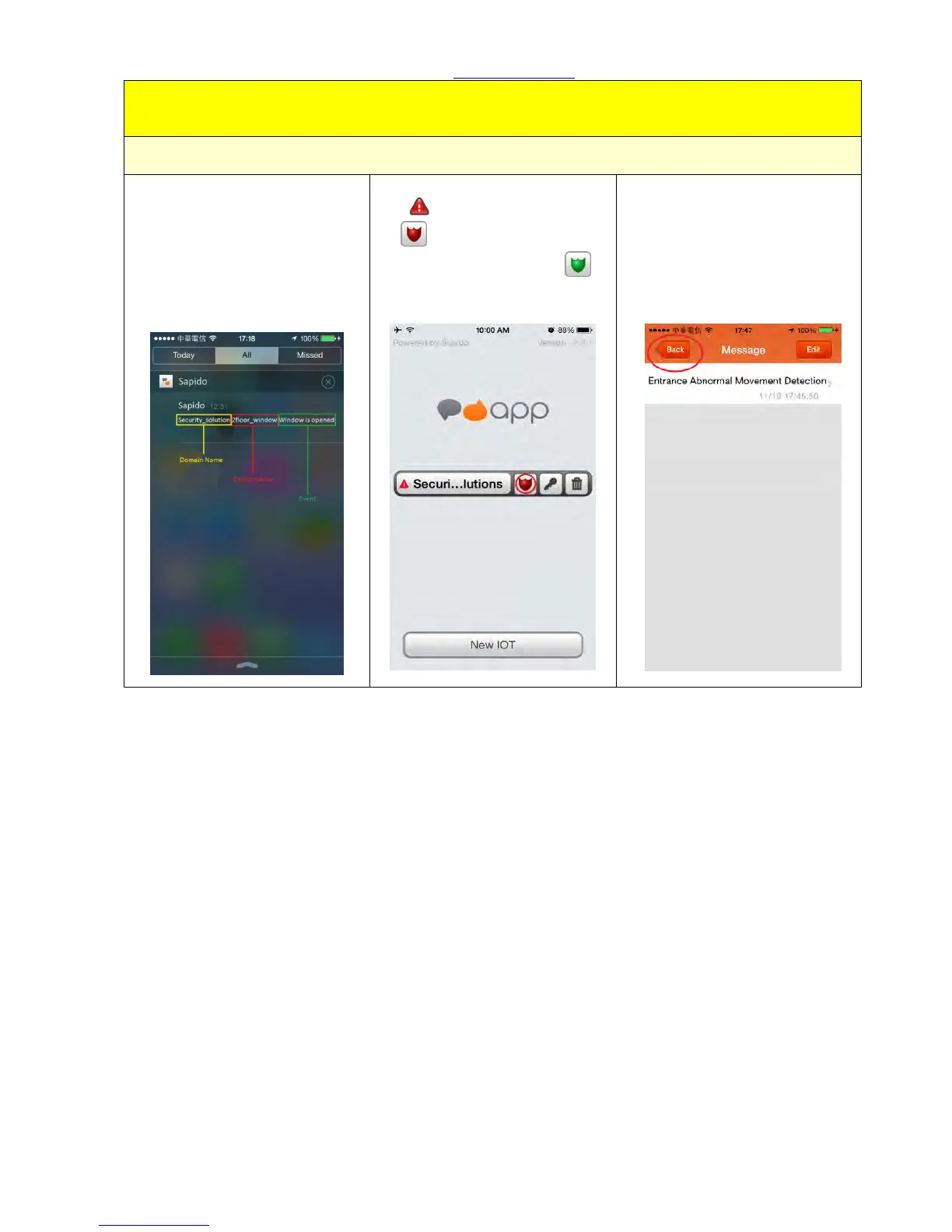
Step 1. You will receive the
push notification as the photo
below. Please click the push
notification and enter the
security system in APP.
Step 2. You will see the event
alert , and the shield will turn
red . To mute the alarm, just
click the shield to return to
green.
Step 3. Click <Message> to
understand the situation
immediately. It will show the
event list included the event
date and time. To understand
more about event's detail,
please select the “event”.



 To Next Page