Weighing
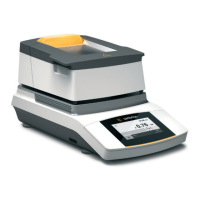
The moisture analyzer also has a simple weighing function which can be opened via
the system menu.
t Select the i (Setup) key in the menu.
Settings
Language
Date and time
Device information
Calibration/Adjustment
y The Settings menu appears.
Calibration/Adjustment
MA performance test
Weighing system adjustment
Calibration report
t Go to Calibration/Adjustment and select Weighing system adjustment.
t Select Weighing only.
0.000
END
Weighing only
g
y The weighing screen appears.
You can now use the moisture analyzer as a simple lab balance.
t To exit the weighing function, select END.
t Select ; multiple times to return to the menu.


 To Next Page