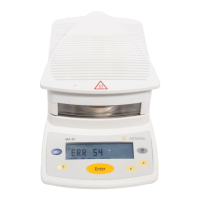
Calibration/Adjustment Error Messages
“Weight is too low.” When a weight that is too light is placed during
external calibration.
“Weight is too high.” When a weight that is too heavy is placed during
external calibration.
“Not able to save cal. data.” When the memory is full.
Information about Analyzer Maintenance
“
Maintenance interval
expired.”
When the maintenance date set by the Sartorius
Service Center has been exceeded.
USB Device Error Message
“The attached USB device is
not supported.”
When a USB device (printer) that is not permitted by
Sartorius has been connected.
Problems
Problem/Meaning Remedy
Selected temperature is too high and the
sample is oxidized;
sample is boiling or burning and the
splashes are continuously changing the
weight.
– Reduce drying temperature
– Lay glass-fiber filter onto the sample
– Reduce the sample quantity or apply
the sample more evenly
– Select a semi-automatic switch-off
criterion or select timer mode
Measurement time too long – Increase temperature
– Reduce sample quantity
– Preheat the analyzer by running a
drying process for 2 or 3 minutes
with an empty sample pan, for
example
Sample loses weight before it is analyzed – Remove the sample pan and apply
the sample outside the analyzer
Sample is liquid or pasty – Use glass fiber filter
Sample has only a low moisture content – Increase sample quantity
Insufficient heating output – Clean temperature sensor
Place of installation unstable
(vibrations, etc.)
– Set up the scale in another area


 To Next Page