SATEL VERSA 17
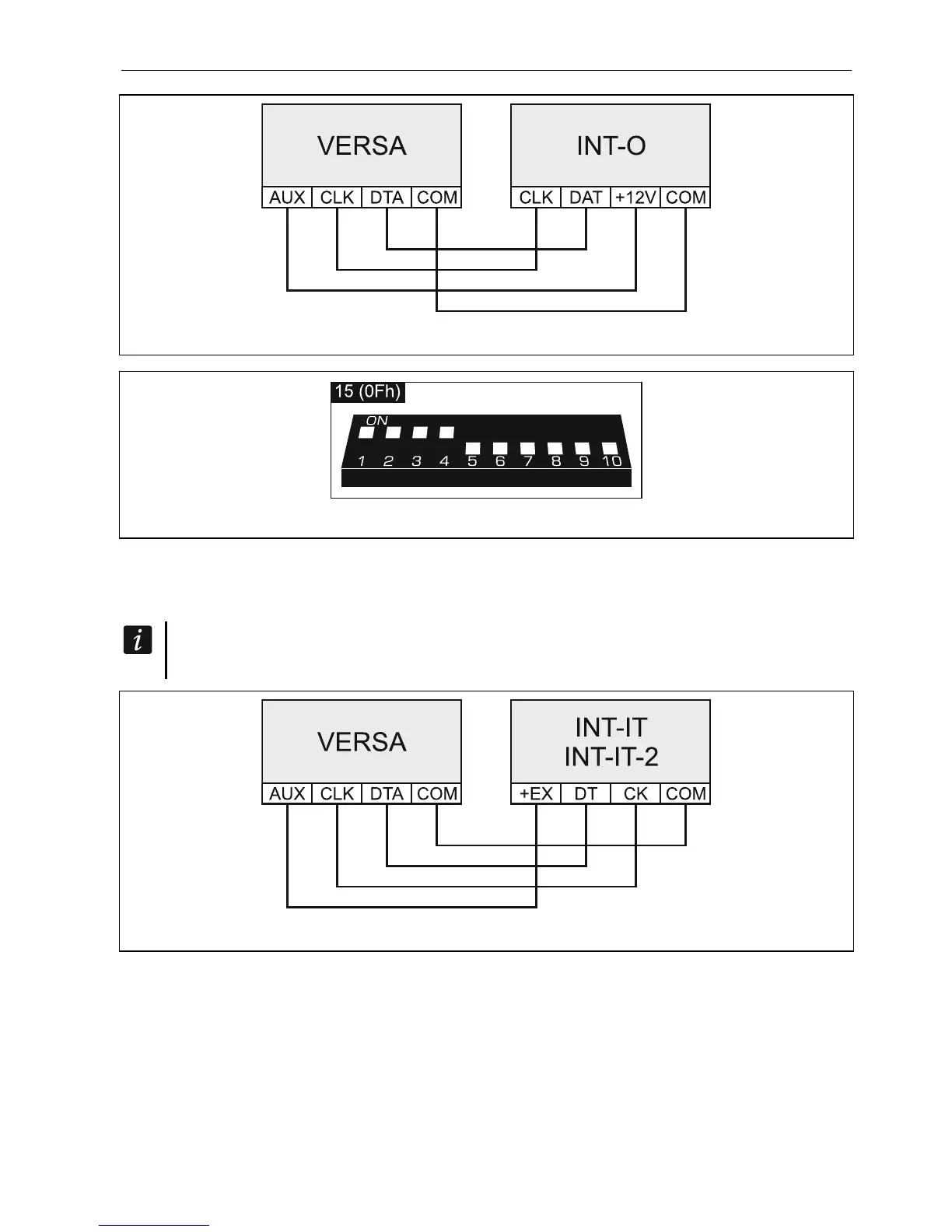
Fig. 17. Connecting the INT-O expander to the control panel.
Fig. 18. Setting address, as in the case of the INT-O expander.
5.5.8 Connecting proximity card arm/disarm devices
Up to 6 INT-CR / INT-IT / INT-IT-2 devices can be installed in the system. Addresses from
the 16 (10h) to 21 (15h) range should be set in the devices.
All the proximity card arm/disarm devices are identified by the control panel as the
INT-IT module.
Fig. 19. Connecting the INT-IT / INT-IT-2 module to the control panel.













 To Next Page