EasyManua.ls Logo

Sauder Carson Forge 416969 - User Manual

Sauder Carson Forge 416969
52 pages
Print Icon
To Next Page IconTo Next Page
Loading...
NOTE: THIS INSTRUCTION
BOOKLET CONTAINS IMPORTANT
SAFETY INFORMATION.
PLEASE READ AND KEEP FOR
FUTURE REFERENCE.
Enlish p 1-39
Français p 40-43
Español p 44-48
Lot # 362226 06/12/14
Purchased: __________________
Be sure to ive us a rin before
makin any returns. 1-800-523-3987
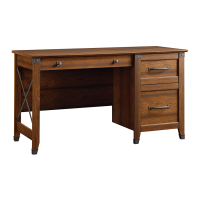
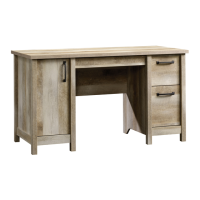
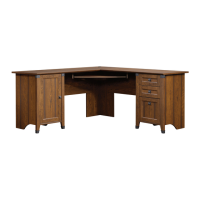
Corner Computer Desk
Carson Fore Collection | 416969
Need help? Visit Sauder.com to view video assembly tips or chat with a live rep.
Prefer the phone? Call 1-800-523-3987.
Share your journey!
sauder.com
Business or pleasure.
Works both ways.
Question and Answer IconNeed help?

Do you have a question about the Sauder Carson Forge 416969 and is the answer not in the manual?

Summary

Assembly Tools Required

Part Identification

Hardware Identification

Step 1: Initial Fastener Installation

Assemble unit on carpeted floor

Prepare assembly area to prevent scratching.

Step 2: Install Hidden Cams and Dowels

Insert hidden cams and cam dowels

Insert hidden cams into uprights and bottoms, then add cam dowels.

Step 3: Cam Installation on Ends

Insert cams and dowels into short edges

Install hidden cams and cam dowels into the short edges of the ends.

Step 4: Cam Screws in Legs

Turn cam screws into legs

Thread cam screws into the legs (Q and R).

Step 5: Attach Cabinet Parts to Uprights

Fasten cabinet right;left to keyboard uprights

Attach cabinet right (U) and left (V) to keyboard uprights (G).

Step 6: Attach Accents and Legs

Fasten corner accents and legs to ends

Attach corner accents (8E) to legs, then legs to ends (A, B, C, D).

Step 7: Attach Extension Rails

Separate slides from rails, attach rails to drawer ends

Separate extension slides from rails, then attach rails to drawer ends.

Step 8: Attach Cabinet to Drawer Ends

Fasten cabinet rights;lefts to drawer ends

Attach cabinet rights (40CA) to drawer right end (C) and lefts (40CB) to drawer left end (D).

Step 9: Drawer Placement Options

Choose drawer and keyboard shelf arrangement

Decide on drawer placement (right/left) and keyboard shelf position.

Step 10: Keyboard Shelf Placement

Choose keyboard shelf position

Select placement for the keyboard shelf (right or left).

Step 11: Attach Bottoms and Tighten Cams

Fasten bottoms to ends and tighten cams

Secure bottoms (J) to ends (A, B, C, D) and tighten cams.

Caution: Do not stand unit upright without back

Warning: Unit may collapse if not supported by the back.

Step 12: Drill Holes in Ends

Drill holes in door right;drawer left ends

Drill indicated holes in door right end (A) and drawer left end (D).

Step 13: Drill Holes in Drawer;Door Ends

Drill holes in drawer right;door left ends

Drill indicated holes in drawer right end (C) and door left end (B).

Step 14: Attach Backs

Fasten backs using nails

Attach backs (M, N) to the unit using nails (1N).

Caution: Do not stand unit upright without back

Warning: Unit may collapse if not supported by the back.

Step 15: Attach Ends to Top

Fasten door;drawer ends to top

Attach door ends (A, B) and drawer ends (C, D) to the top (H).

Step 16: Attach Right Upright to Left Upright

Fasten right upright (E) to left upright (F)

Connect the right upright (E) to the left upright (F).

Step 17: Attach Uprights to Top

Fasten uprights (E, F) to top (H)

Secure the uprights (E and F) to the top (H).

Step 18: Attach Modesty Panel

Fasten modesty panel to upright and drawer end

Attach modesty panel (K) to left upright (F) and drawer right end (A).

Step 19: Attach Modesty Panel, Feet, and Glides

Attach second modesty panel, feet, and glides

Attach modesty panel (K), feet (10E), and glides (12E).

Step 20: Attach Drawer Ends to Small Top

Fasten drawer ends (C, D) to small top (I)

Connect drawer ends (C and D) to the small top (I).

Step 21: Attach Connector Plates

Attach connector plates to small top

Fasten connector plates (14G) to the small top (I).

Step 22: Stand Unit Upright

Stand unit upright, attach modesty panel & top

Stand unit upright and attach modesty panel (K) and small top (I).

Step 23: Attach Hinges to Door

Fasten two hinges (14 H) to door (O)

Attach two hinges (14H) to the door (O).

Step 24: Attach Door and Door Stop

Fasten door (O) to door left end (B) and insert door stop

Attach door (O) to door left end (B) and insert door stop (41).

Step 25: Door Adjustments

Guide for adjusting door alignment

Instructions for adjusting door position horizontally, vertically, and in/out.

Step 26: Attach Keyboard Uprights

Fasten keyboard uprights (G) to tops (H, I)

Connect keyboard uprights (G) to the tops (H and I).

Step 27: Attach Drawer Slides to Keyboard Shelf

Attach drawer slides and cord clip to keyboard shelf

Fasten drawer slides (W, X) and cord clip (4P) to the keyboard shelf (L).

Step 28: Assemble File Drawer

Assemble file drawer sides, bottom, and back

Assemble file drawer front (S) with sides (D14, D15), bottom (D716), and back (D78).

Step 29: Attach Extension Slides to File Drawer

Attach extension slides to file drawer sides

Fasten extension slides (Z) to file drawer sides (D14, D15) using cams (10A).

Step 30: Attach Drawer Slides to Drawer Sides

Attach drawer slides to drawer sides

Attach drawer slides (40CC, 40CD) to drawer sides (D107, D108) using cams (10A).

Step 31: Attach Knobs and File Glides

Attach knobs and file glides to drawer fronts;sides

Attach knobs (52K) to drawer fronts and file glides (4B) to drawer sides.

Step 32: Insert Drawers and Cover Hardware

Insert small drawers and file drawer, cover hardware

Insert drawers (T, S) and keyboard shelf (L), then cover cams and screws.

Step 33: Install Grommets and Adjustable Shelf

Install grommets, sleeves, pins, and adjustable shelf

Insert grommets, sleeves, pins, and place adjustable shelf (P).

Step 34: Final Adjustments and Assembly Completion

Adjust file drawer and complete assembly

Adjust file drawer alignment and finalize assembly.

Important Safety Warnings

Overloaded shelves and drawers warning

Warning about overloading shelves and drawers causing instability or breakage.

Improperly moving furniture warning

Warning about moving furniture not designed with casters.

Placing TVs on furniture warning

Hazard of placing TVs on furniture not designed for support.

Furniture Stability Warnings

Unstable furniture tipping hazard

Warning about unstable furniture tipping over or breaking.

5-Year Limited Warranty

Warranty coverage details

Details of Sauder's 5-year limited warranty on materials and workmanship.

Exclusions and limitations

Conditions not covered by warranty and limitations on liability.

Product Information and Support

General Conformity Certificate

Certificate of compliance for CPSC Ban on Lead-Containing Paint.

Sauder Carson Forge 416969 Specifications

General IconGeneral
BrandSauder
ModelCarson Forge 416969
CategoryIndoor Furnishing
LanguageEnglish

Related product manuals