Currency Discrimination Fitness Sorter SB - 2000 Service Manual
73
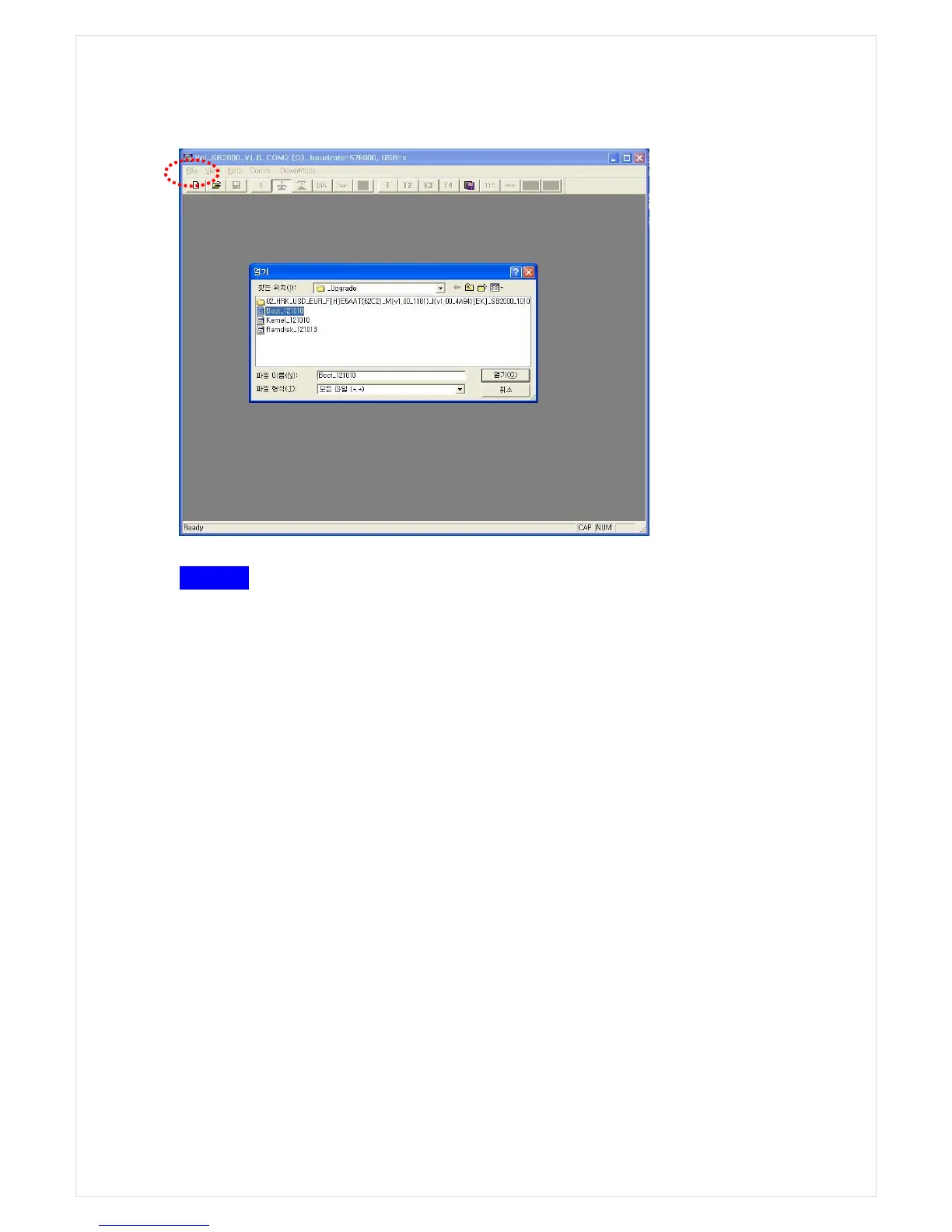
STEP 4 Writing program
1. Just after clicking the File and Open in the Top Menu Bar and selecting BOOT file-
Boot_xxxxxx, the ‘Programmer’ a window pop-up immediately shows up. Then click
“Program → Next” in a row to write the program. Install over the Boot file and close the pop-
up window.
2. Likewise, select KERNEL program- Kernel_xxxxxx and Ramdisk_xxxxxx respectively and
sequentially, install them over. And power off and on.
File → OPEN



 To Next Page