Schaeer Technologies
17
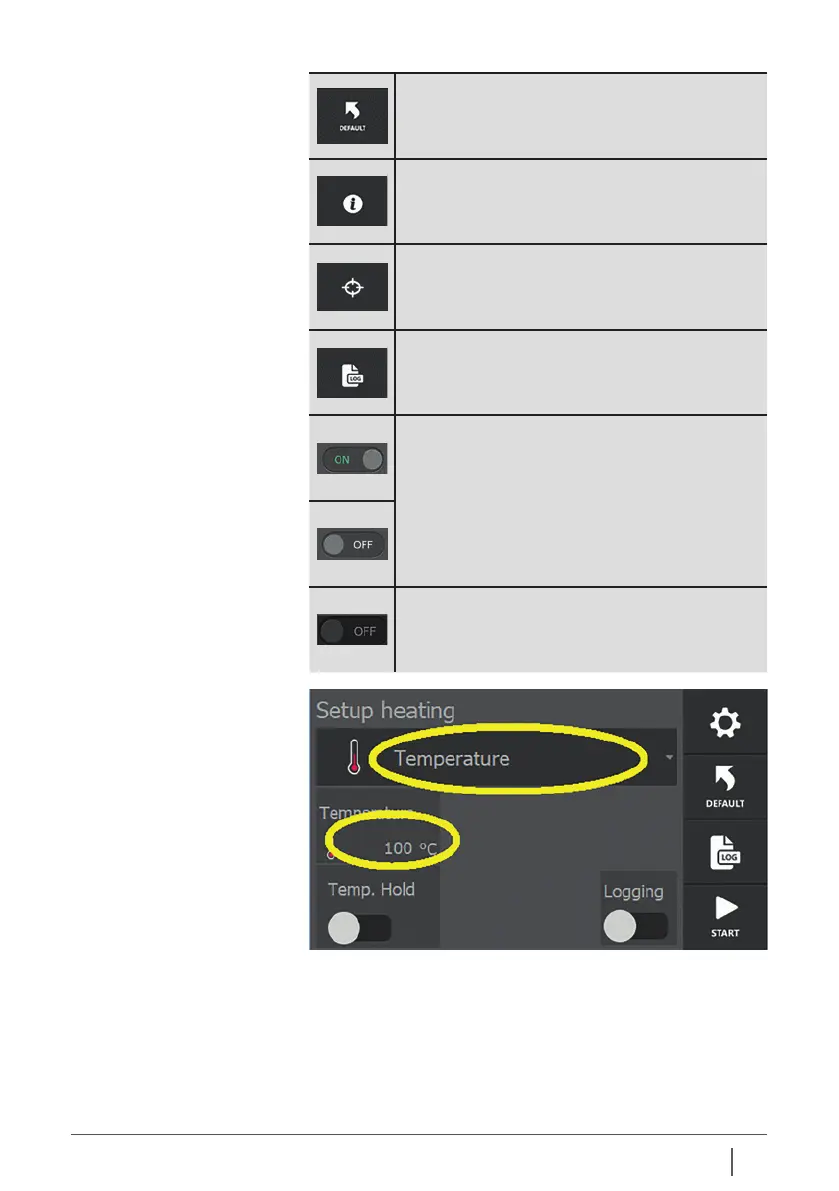
Reset appliance to default settings.
Call up additional heating information.
Adapt target heating during heating process.
Access to log data.
Sliders on/o. The corresponding option is
switched on or o.
Slider “not available”. The corresponding option
cannot be switched on or o due to settings
made elsewhere.
Variables can be set or changed by tapping them.
Usually, a selection menu or keypad is then displayed. This
principle applies to every screen. With the help of the sliders,
elements can be switched on or o.


 To Next Page