Schaeer Technologies
41
10. Log functionality
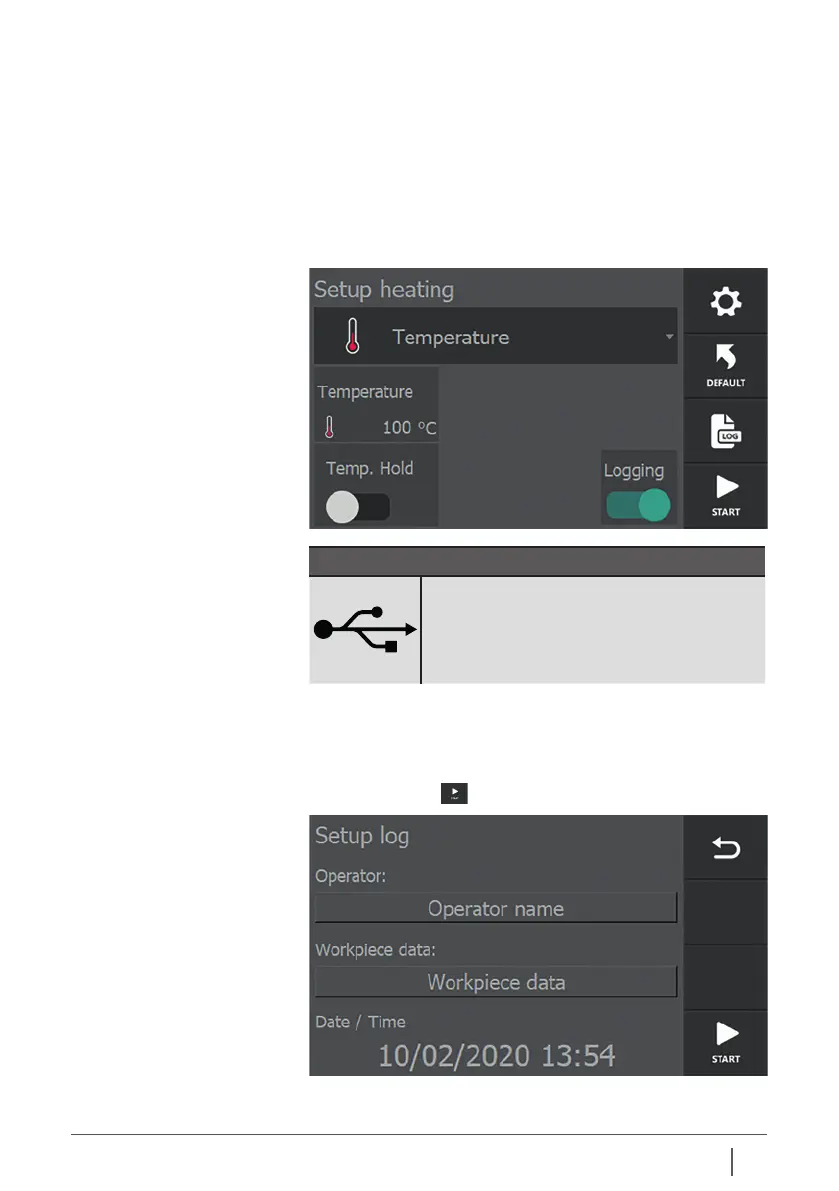
10.1 Logging Each heating mode has a slider on the screen with which
the log functionality of the heater “Log” can be activated
or deactivated. This functionality oers the possibility of
defining certain parameters for the heating process, such as
temperature, time, power, operator and workpiece data.
NOTE!
In order to be able to log and export these
data, an empty USB data carrier (not
supplied) must be plugged in to the USB
port provided at the side of the device.
If this functionality is activated, a menu appears each time the
“start” button is pressed in which data has to be entered. Only
then can heating actually be started.
Pressing “START” displays the following screen:
Tap the item to be changed/entered. A keypad is displayed.


 To Next Page